Your AMS at a glance
Every unit with its bays: material, colour, remaining filament, humidity, temperature. Tap a bay for the spool behind it.
With FilaMan and BamBuddy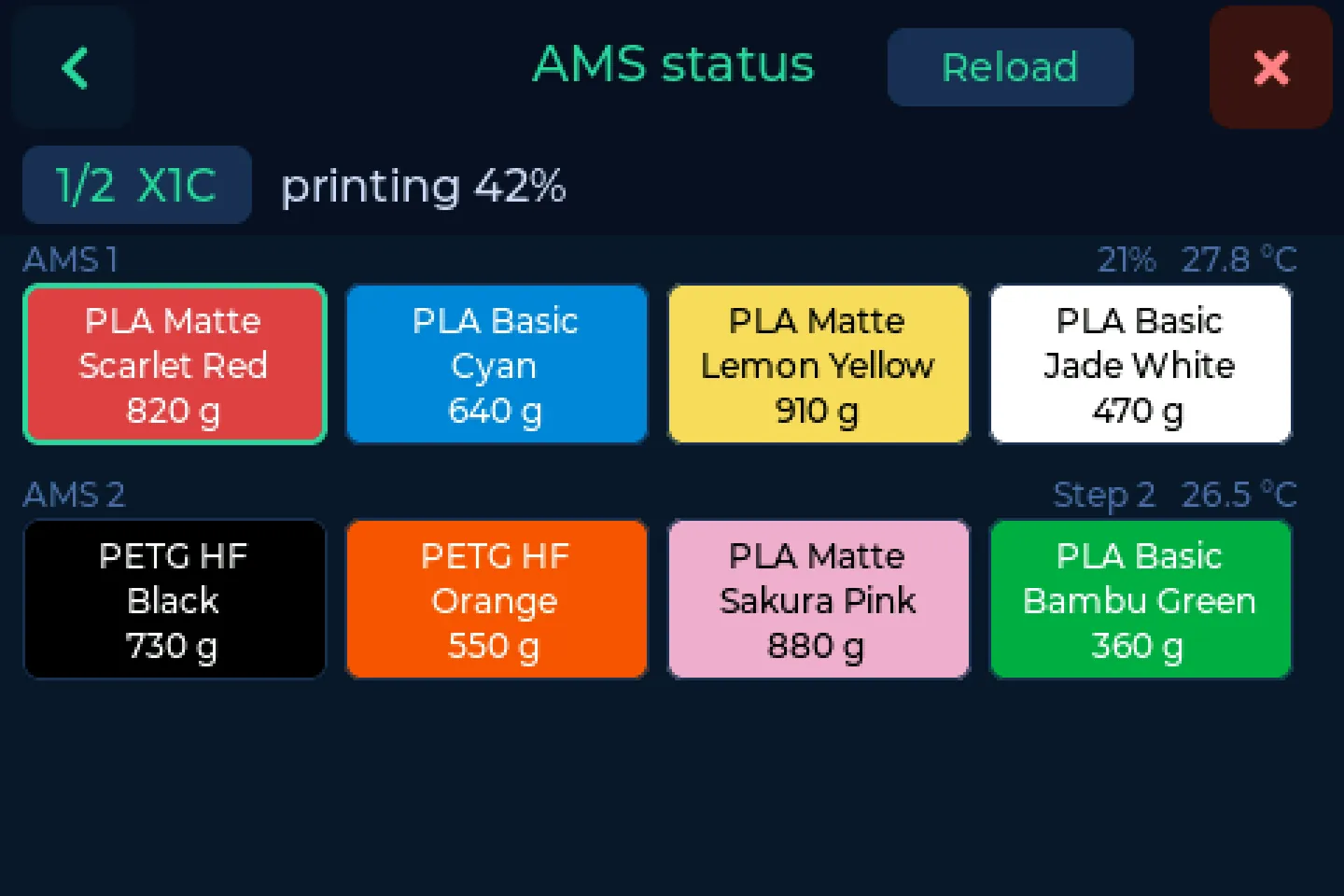
 SpoolmanScaleSite under construction
Put a spool on. SpoolmanScale reads the NFC tag, finds the spool in your filament manager and writes the real weight back. No phone, no PC, in seconds.
The scale stores no spools itself. It is the front end for your filament manager: Spoolman, FilaMan or BamBuddy, on your home network or online. Your spools live there; the scale reads and writes them.
No server yet? SpoolmanScale Pro turns a Raspberry Pi into one with a single command.
 Spoolman


Open source, GPL-3.0Over 400 scales out there
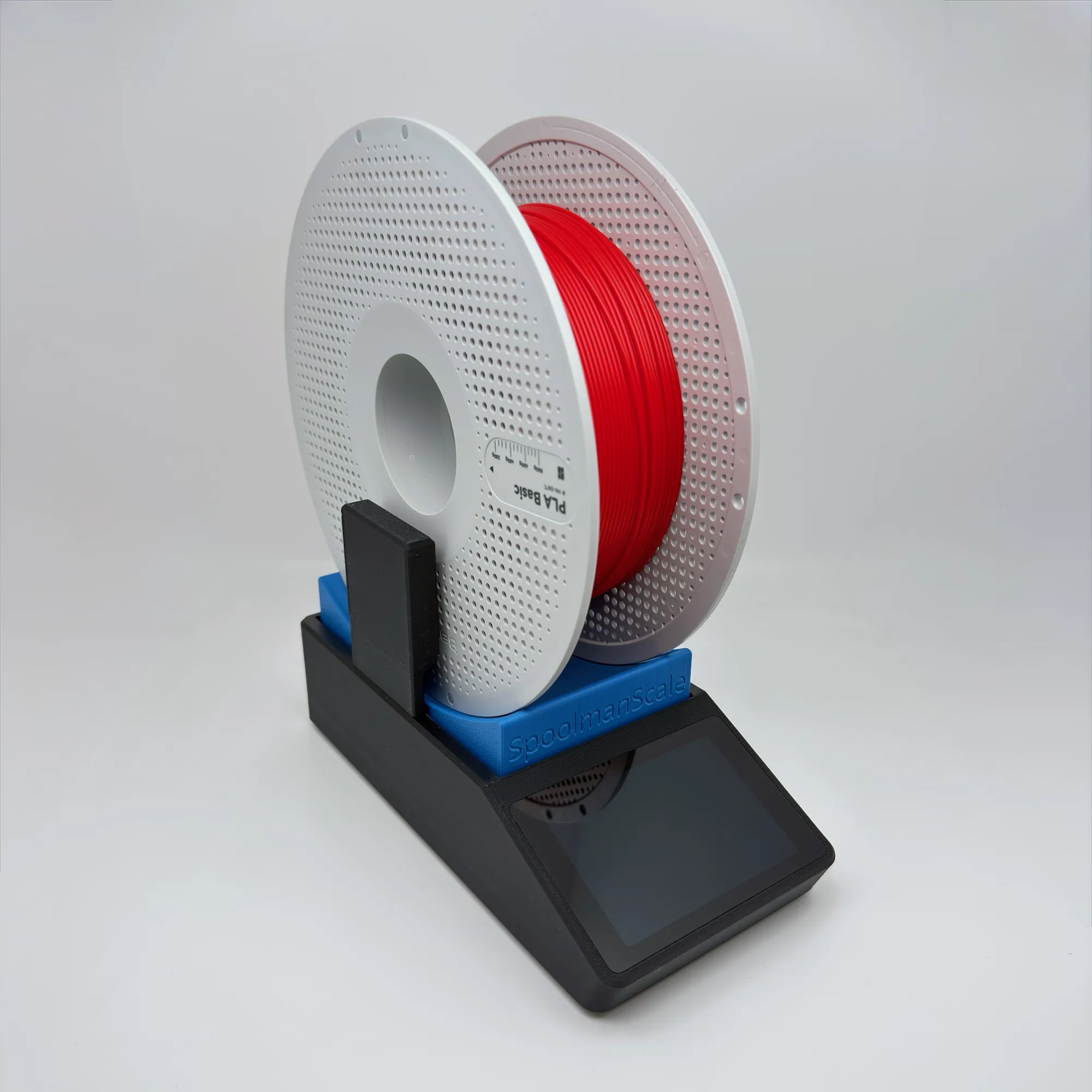
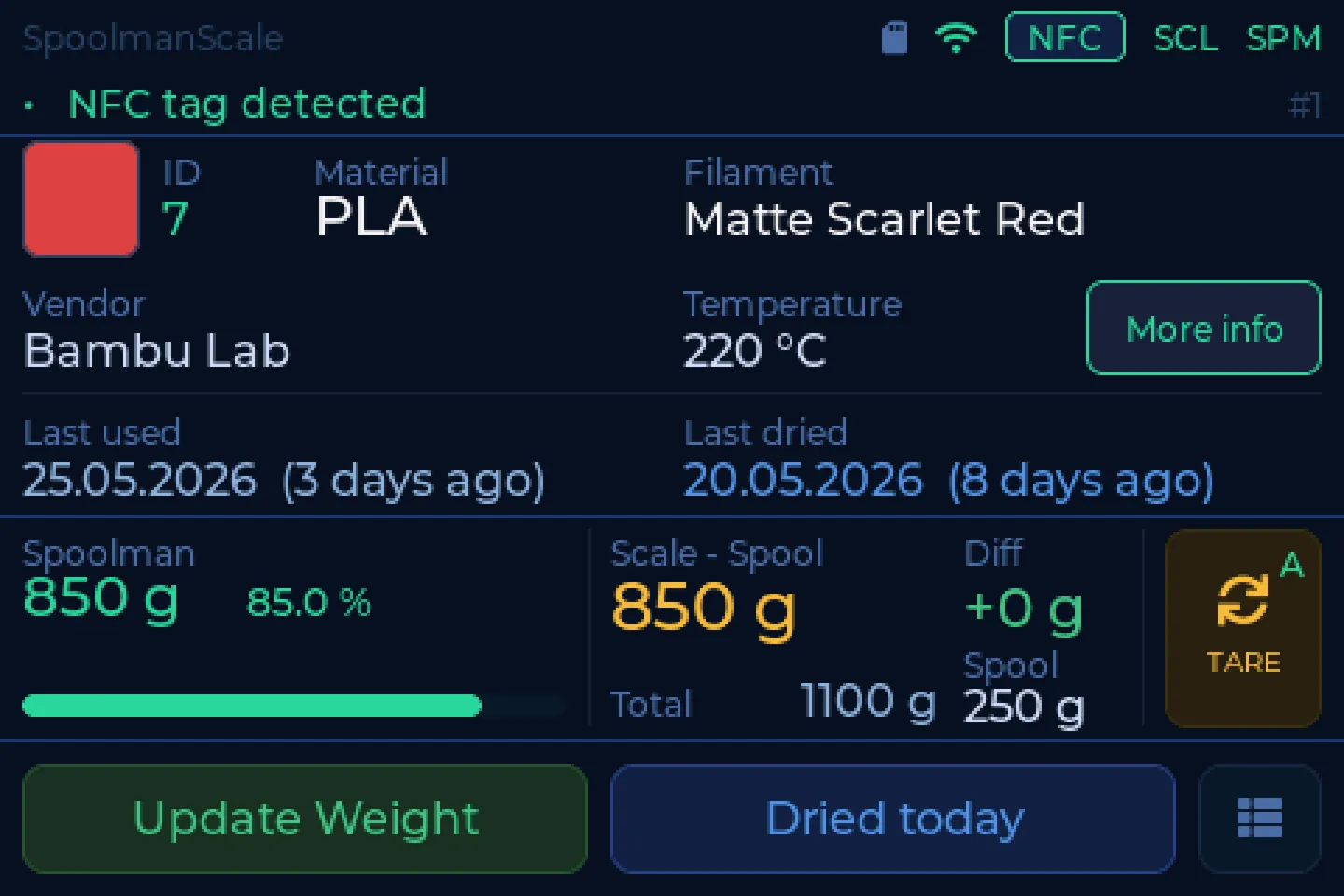
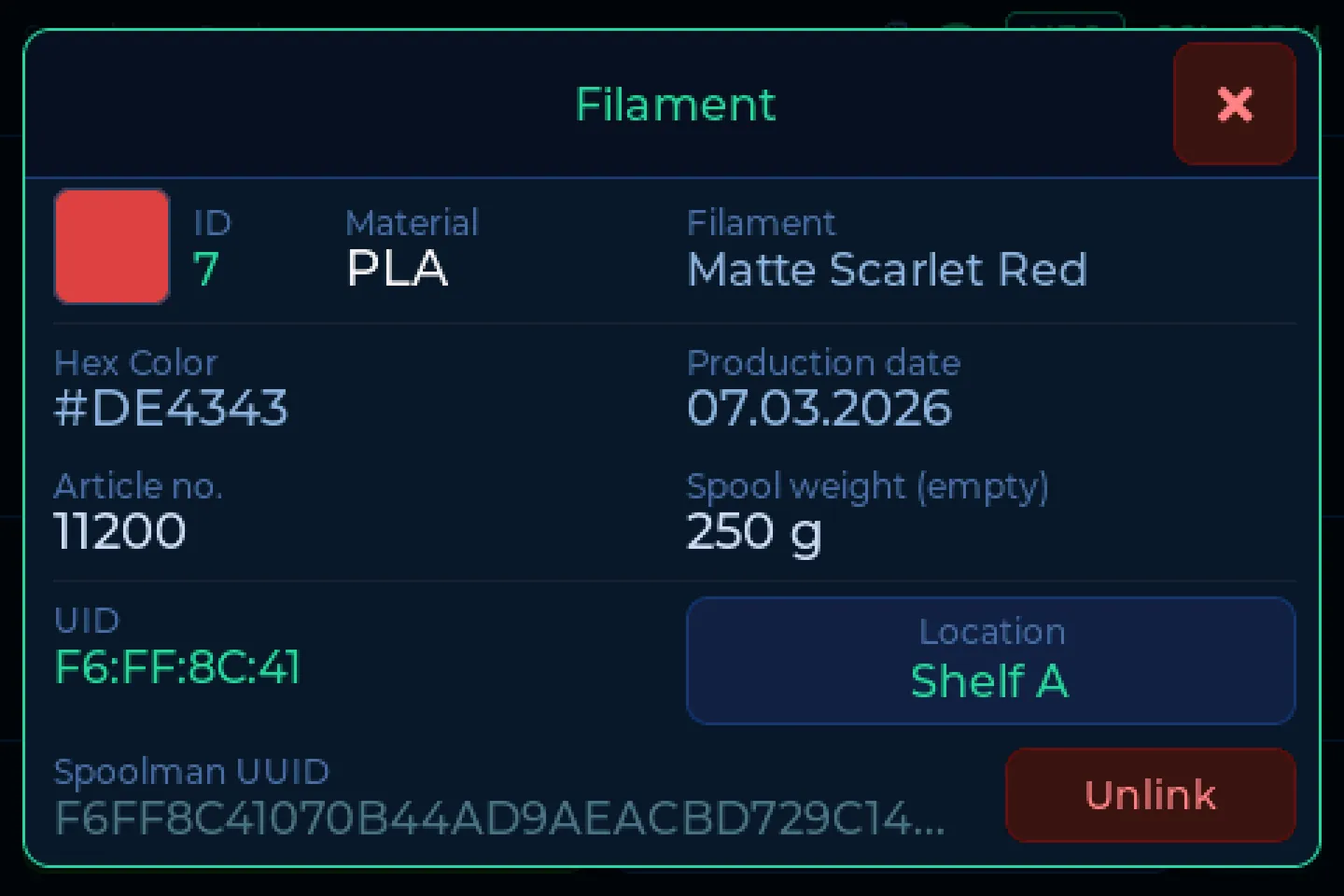
The NFC reader picks up the tag: Bambu Lab, Creality and Snapmaker straight away. Any other spool gets a cheap NTAG sticker.
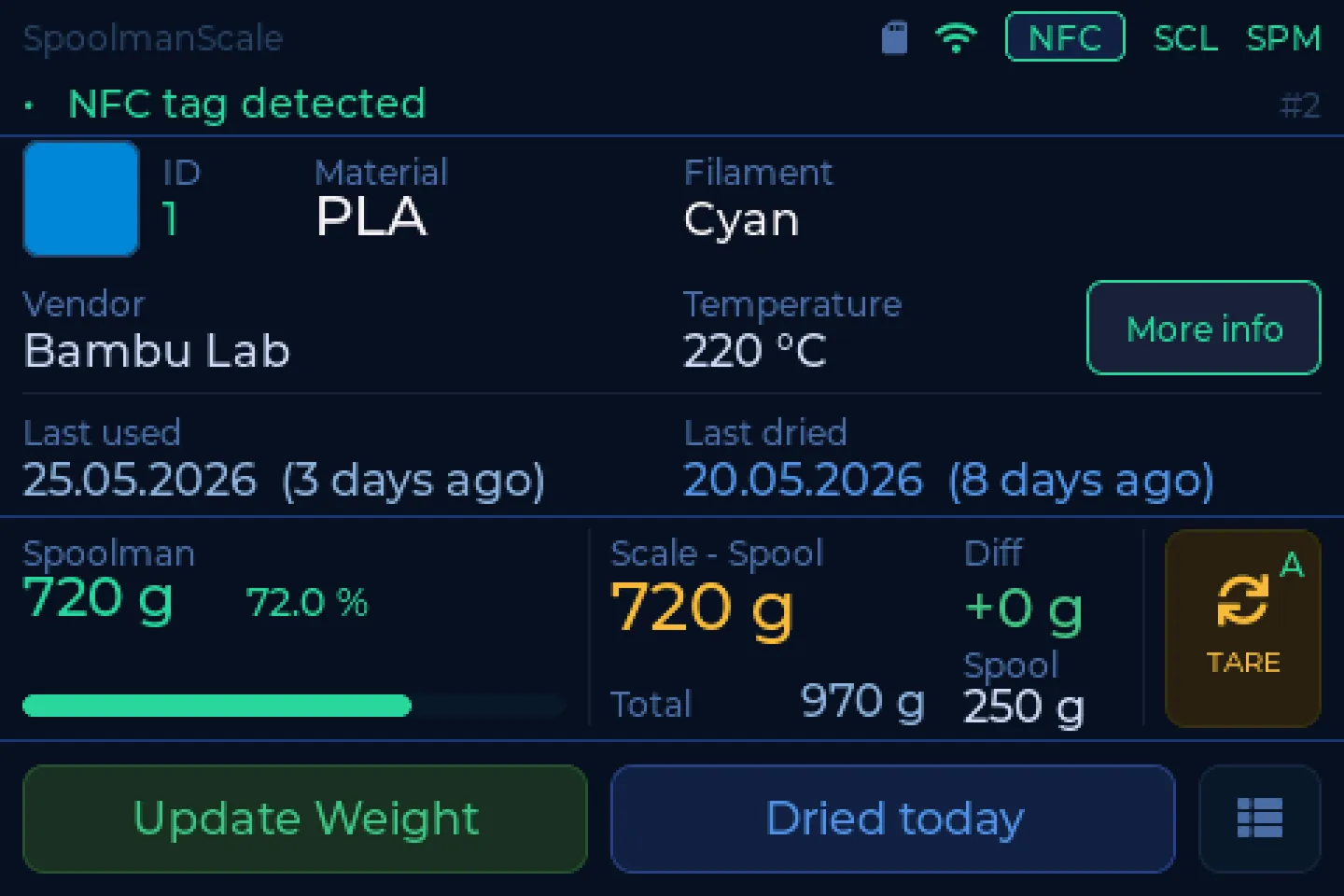
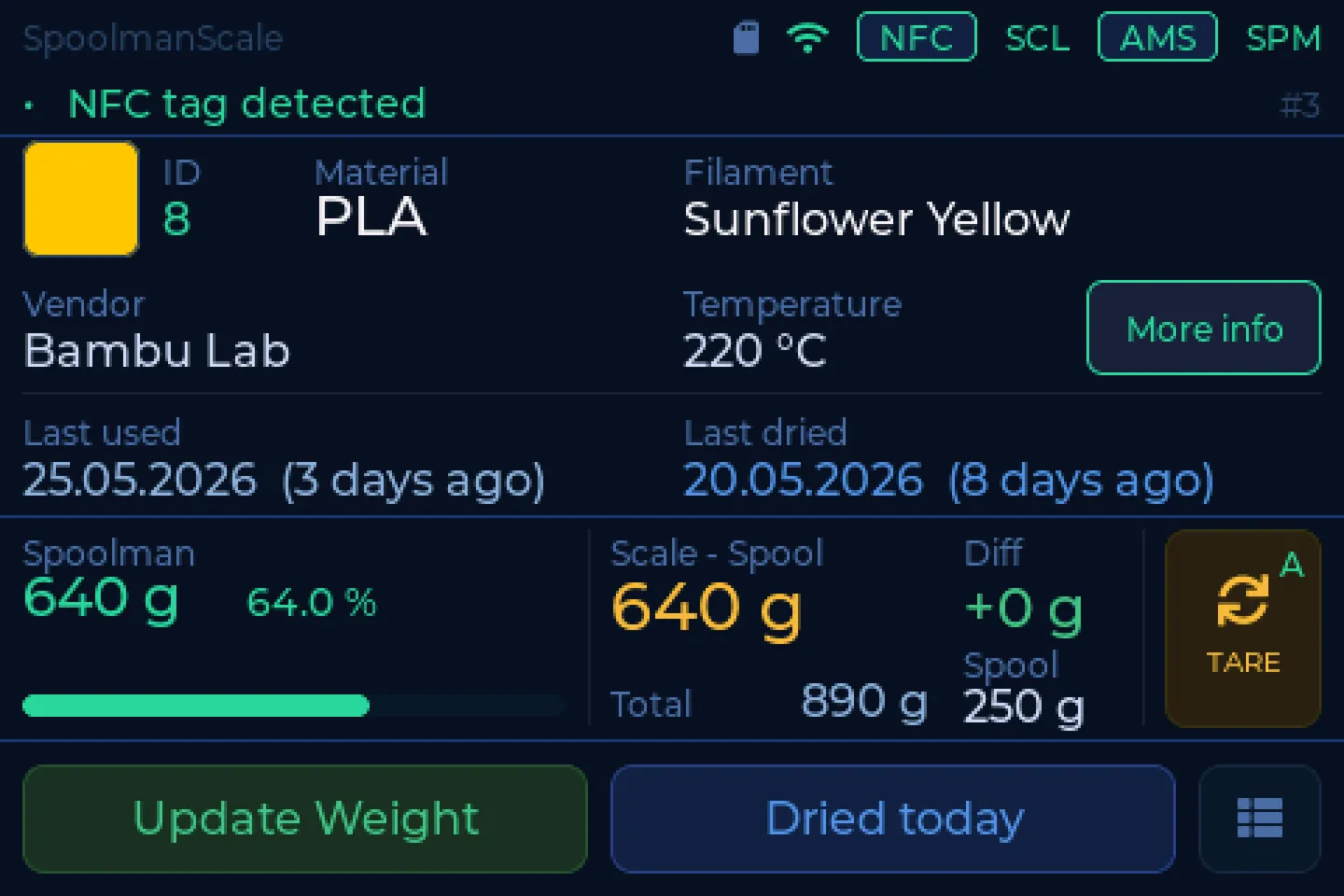
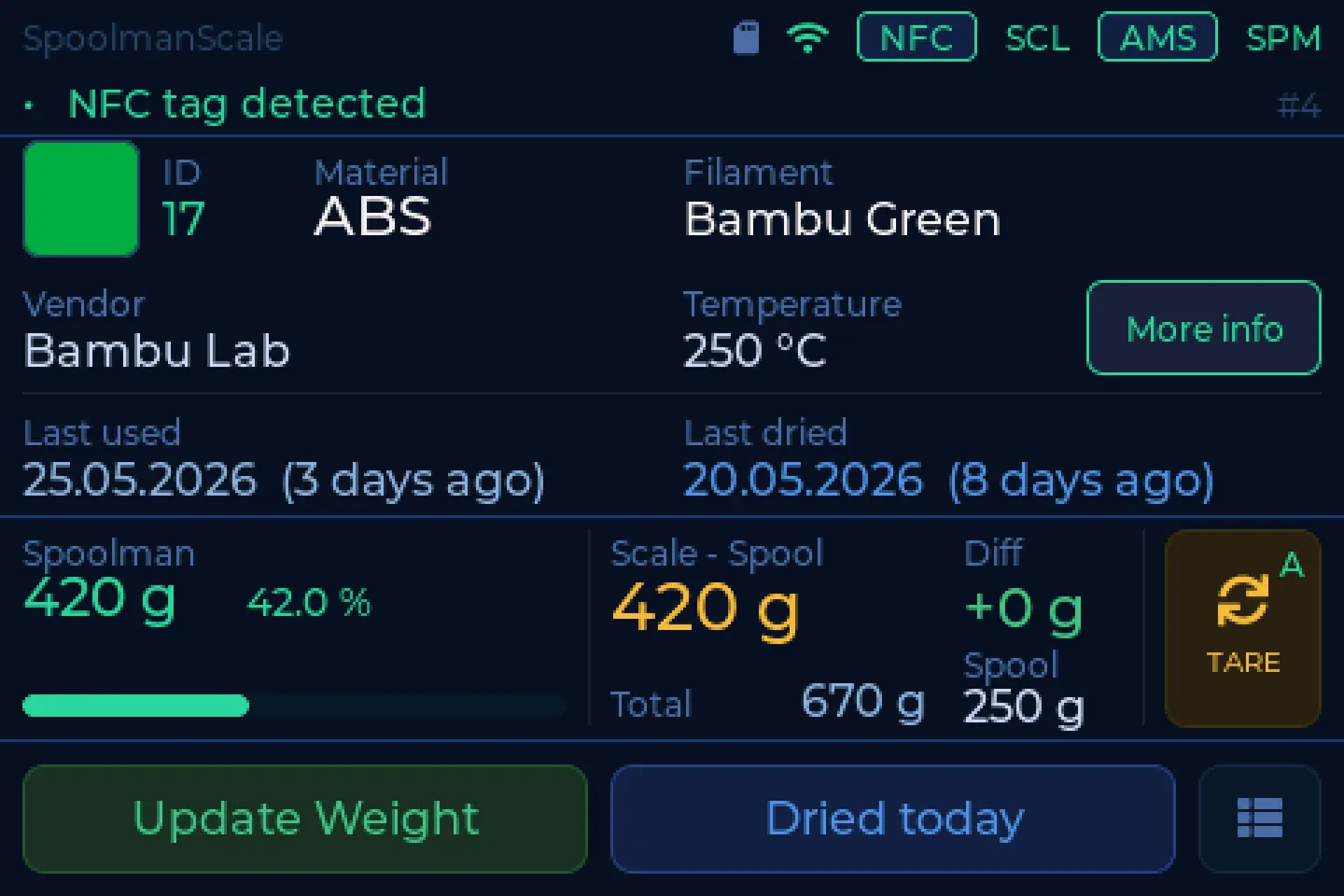
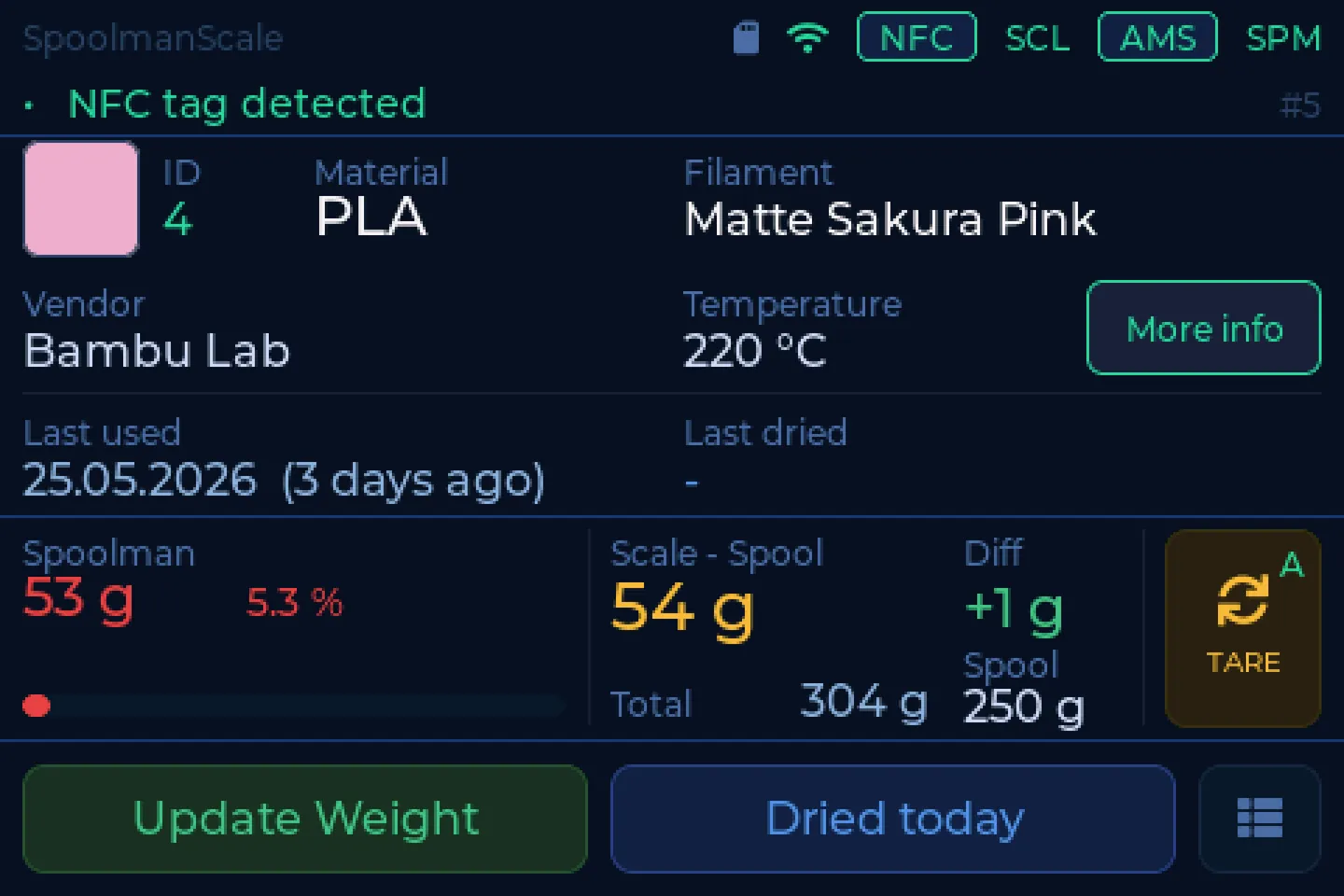
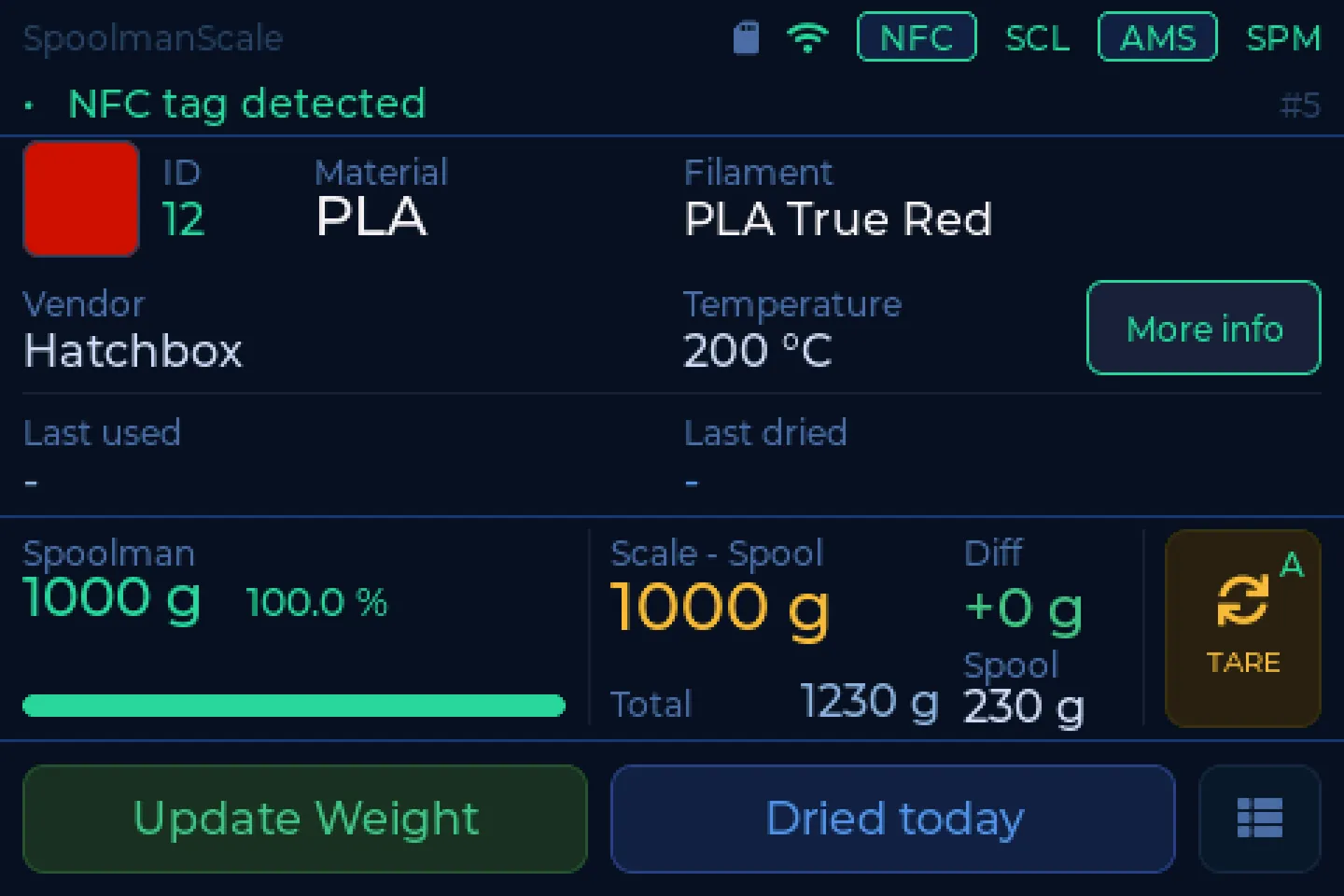
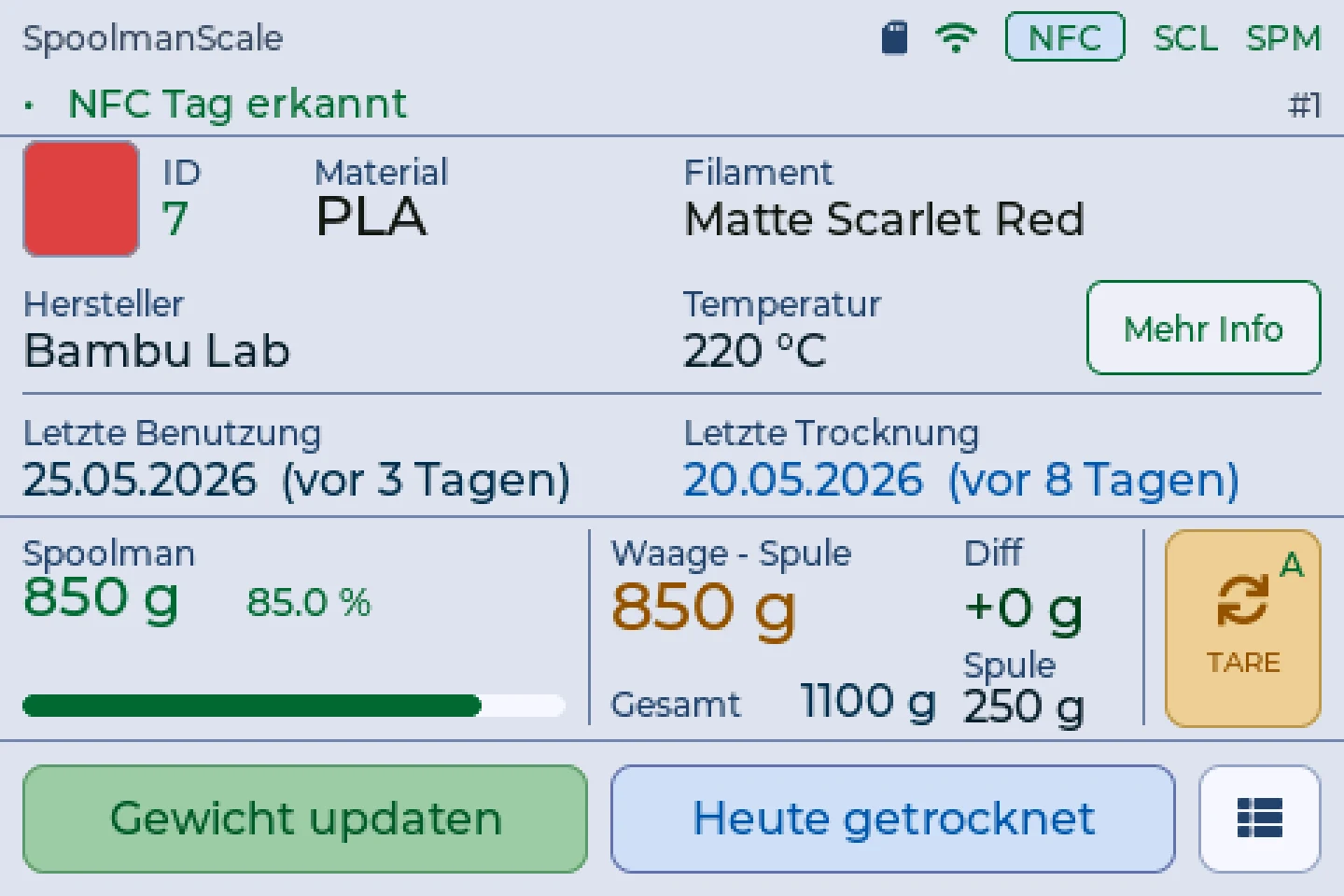
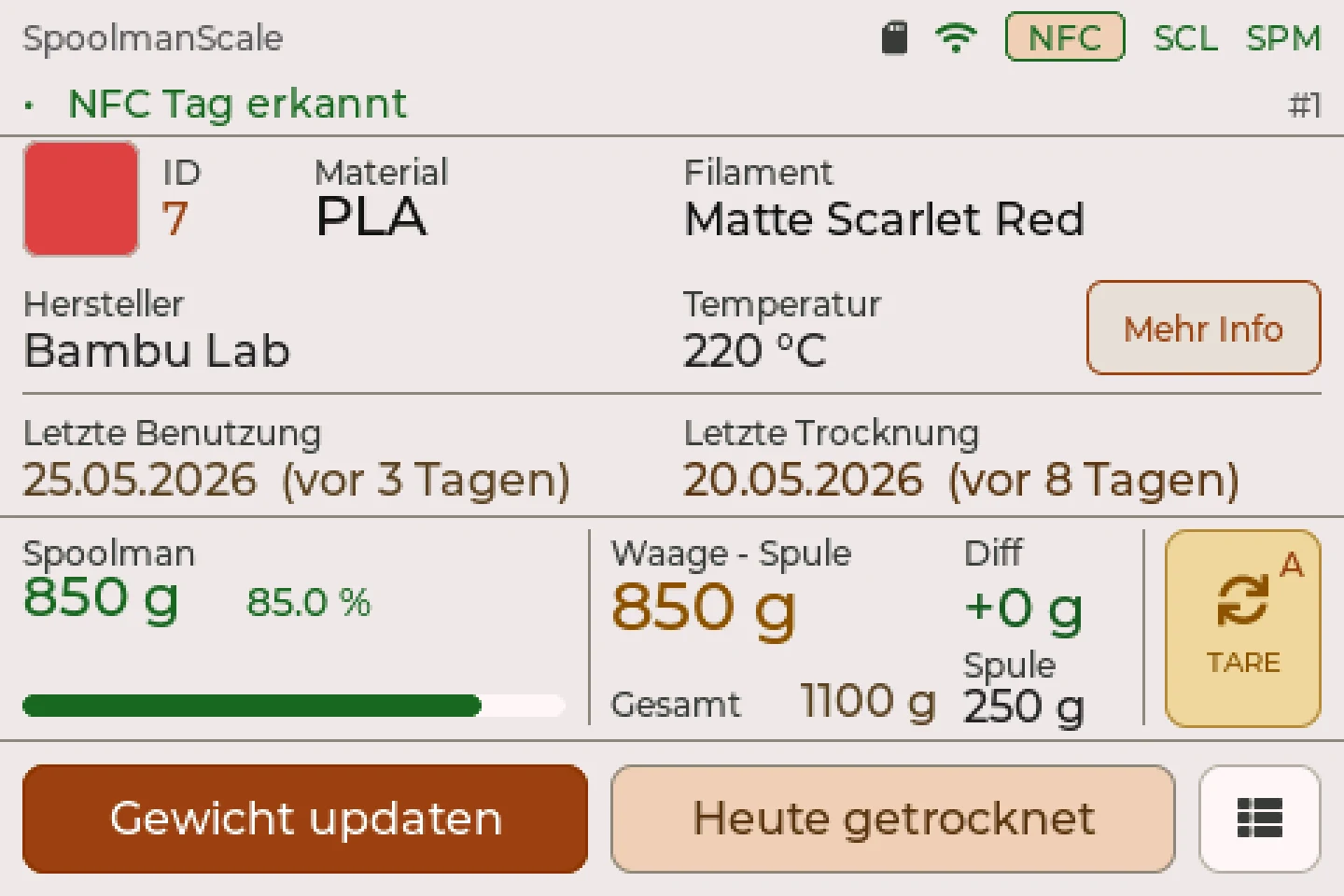
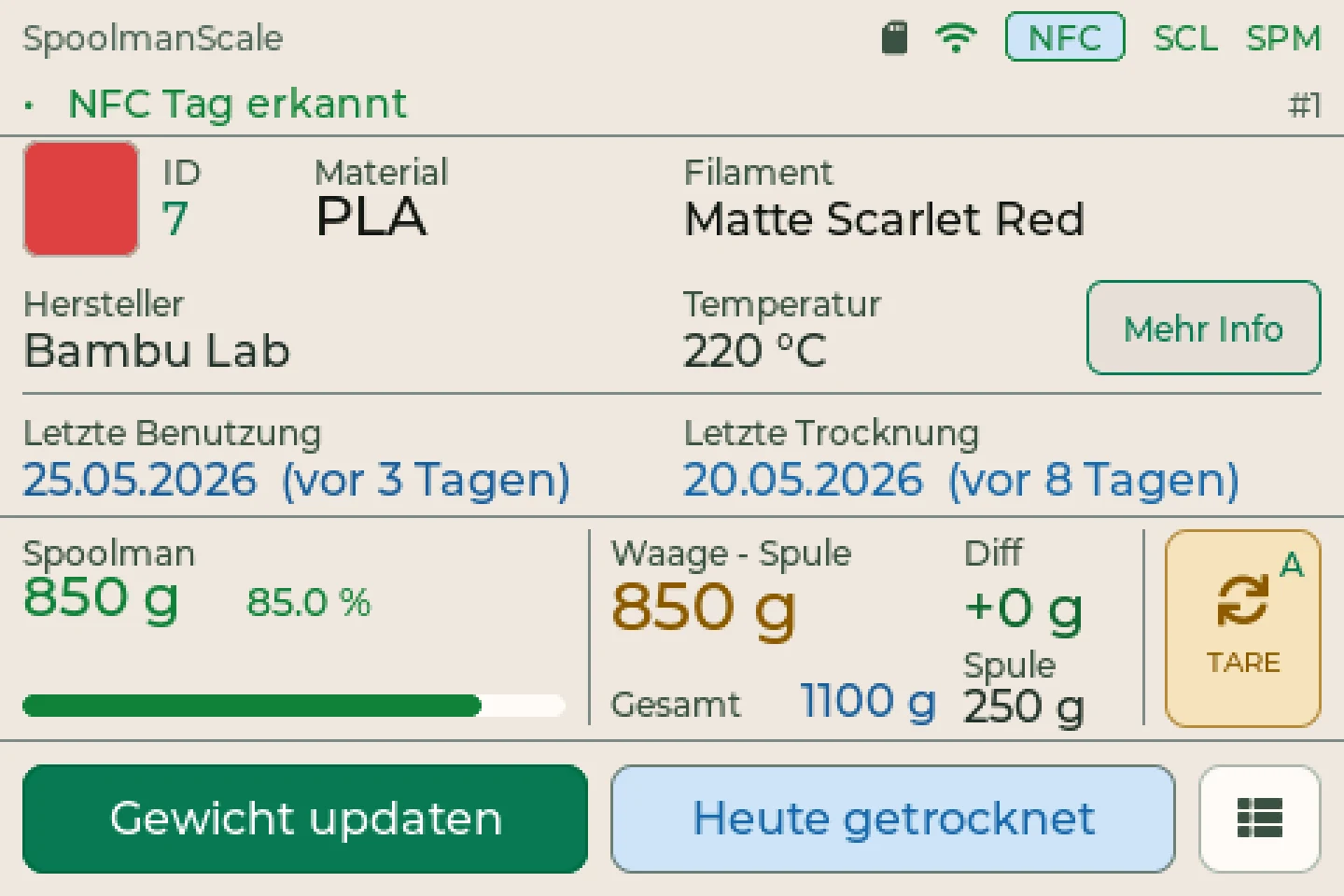
Material, colour, vendor, temperature. Plus what your inventory says is left and what the scale really measures.
“Update weight” sends the new weight to your filament manager. If you like, the scale does it automatically as soon as the value settles. Dried it today? One tap.
Real screens of the scale. The colour comes from the tag or from your database.
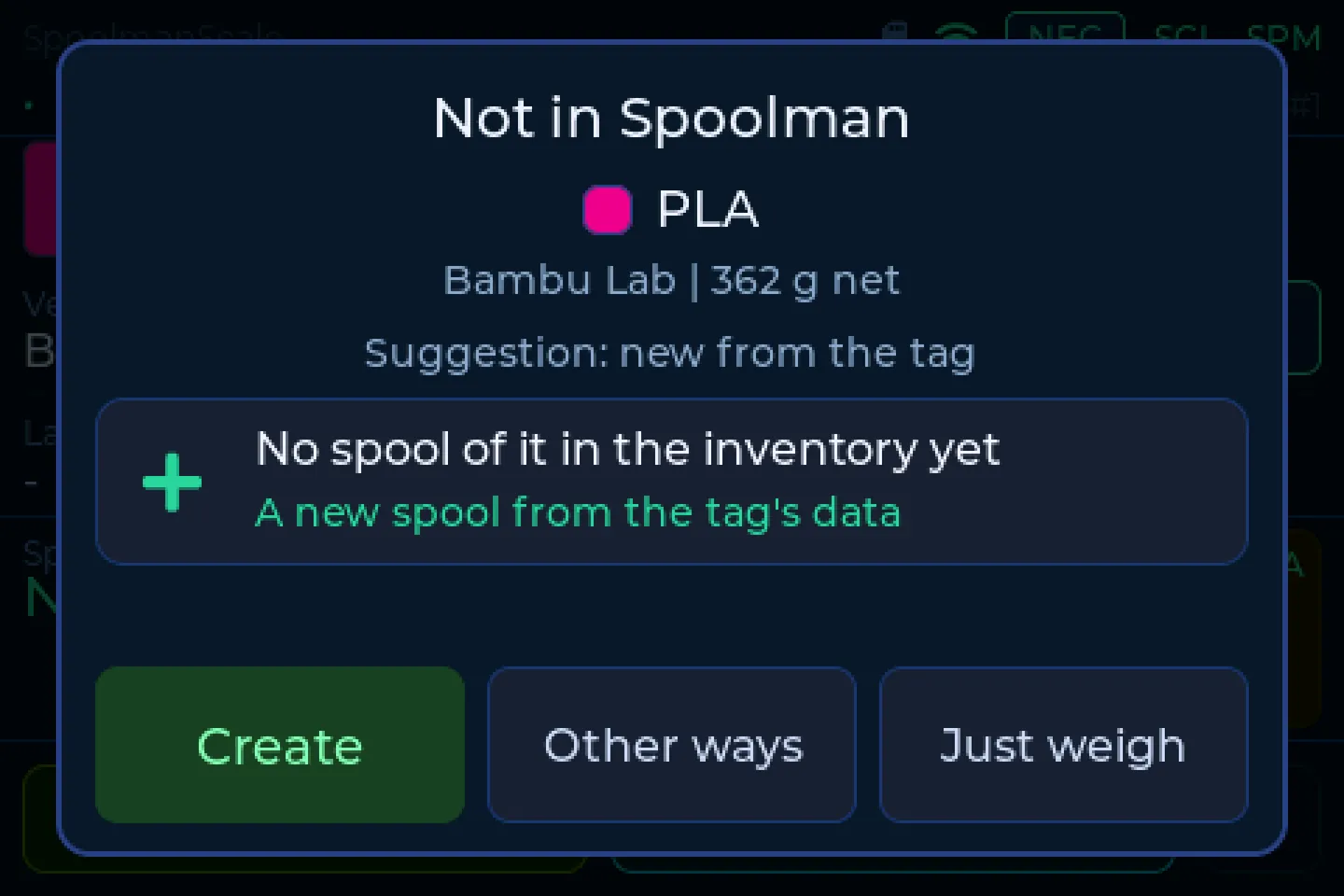
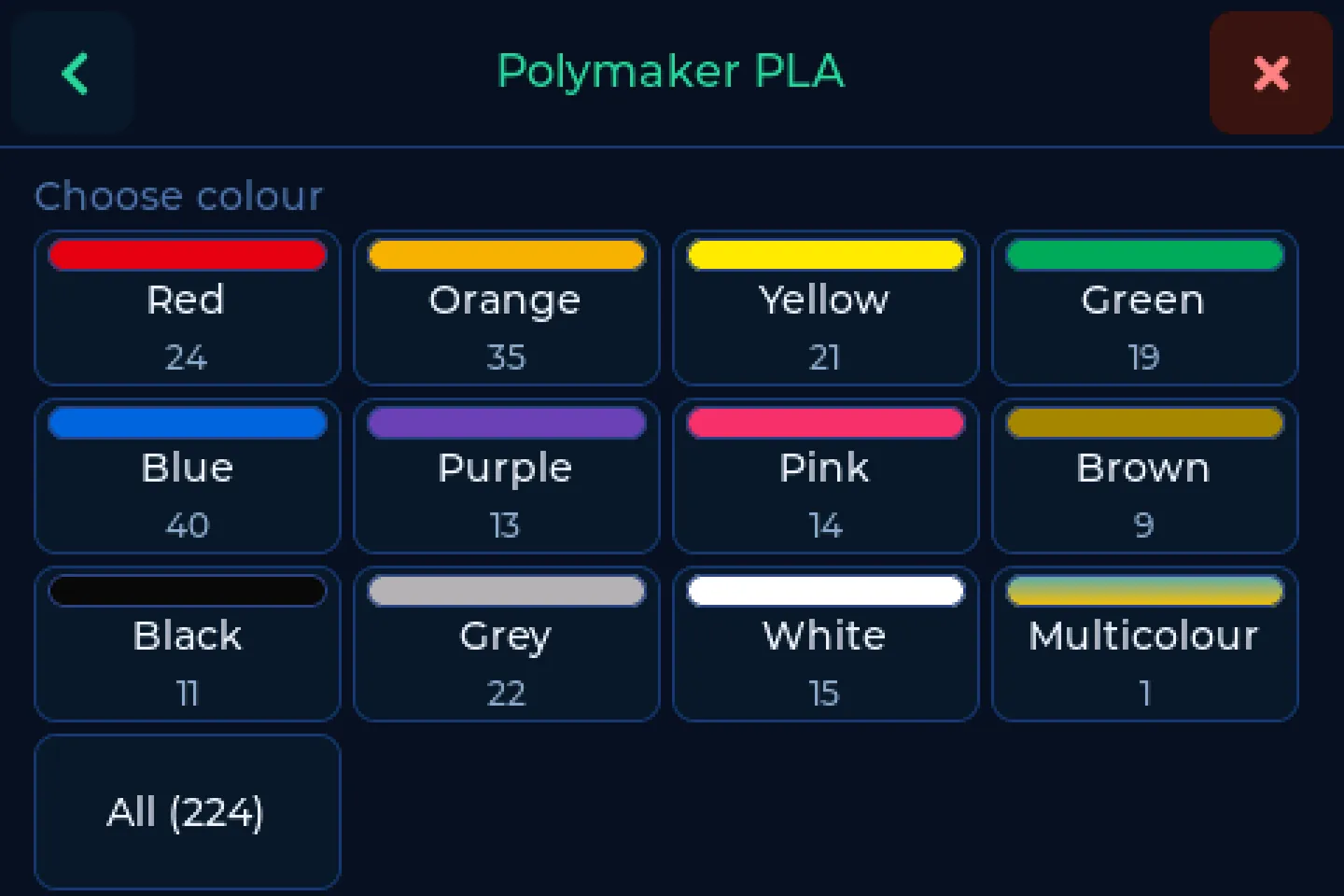
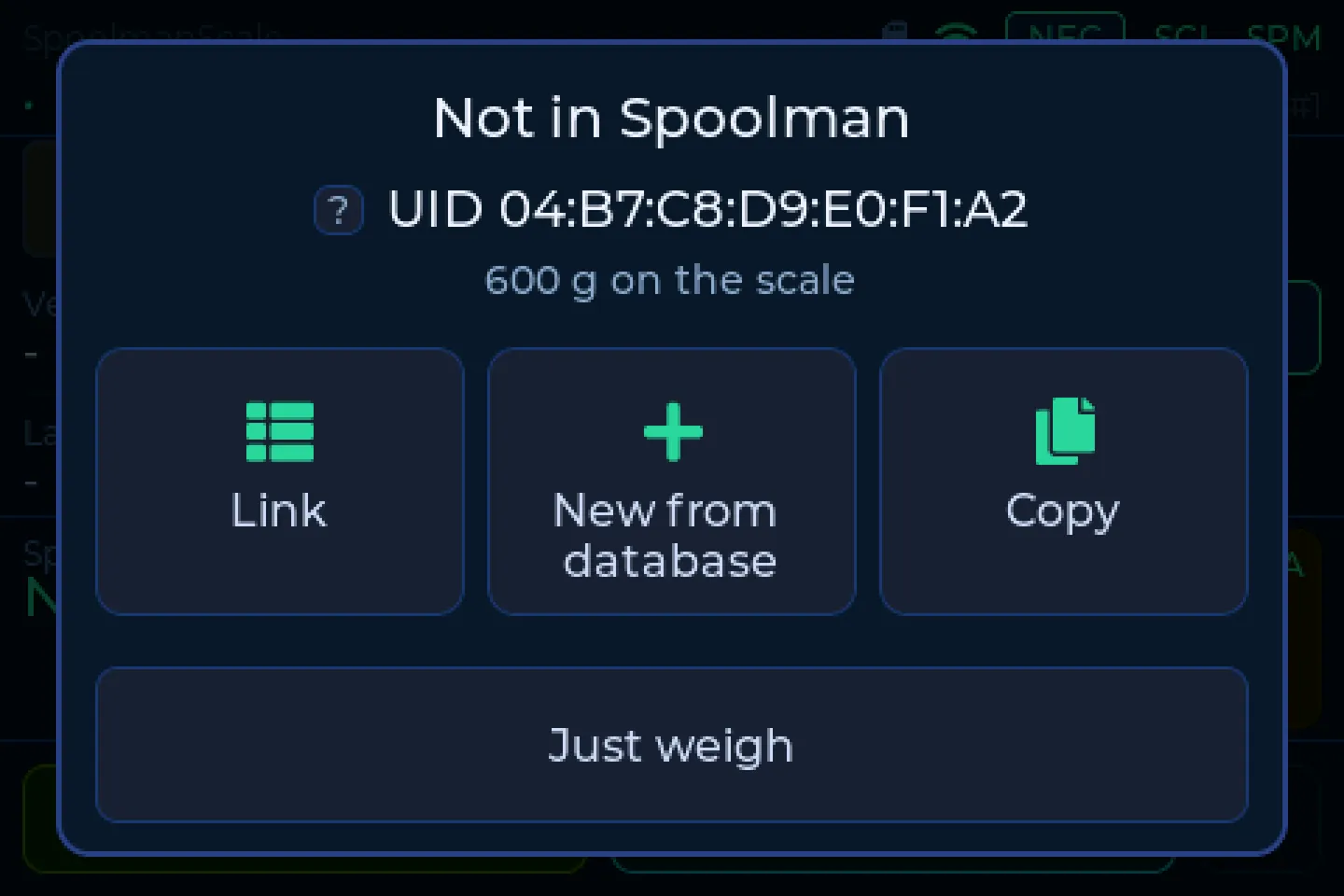
Just unpacked a new spool? Put it on and add it right at the scale, with a few taps and no PC. If it has a tag from the maker, it is even faster: the scale recognises material and colour and fills everything in for you.
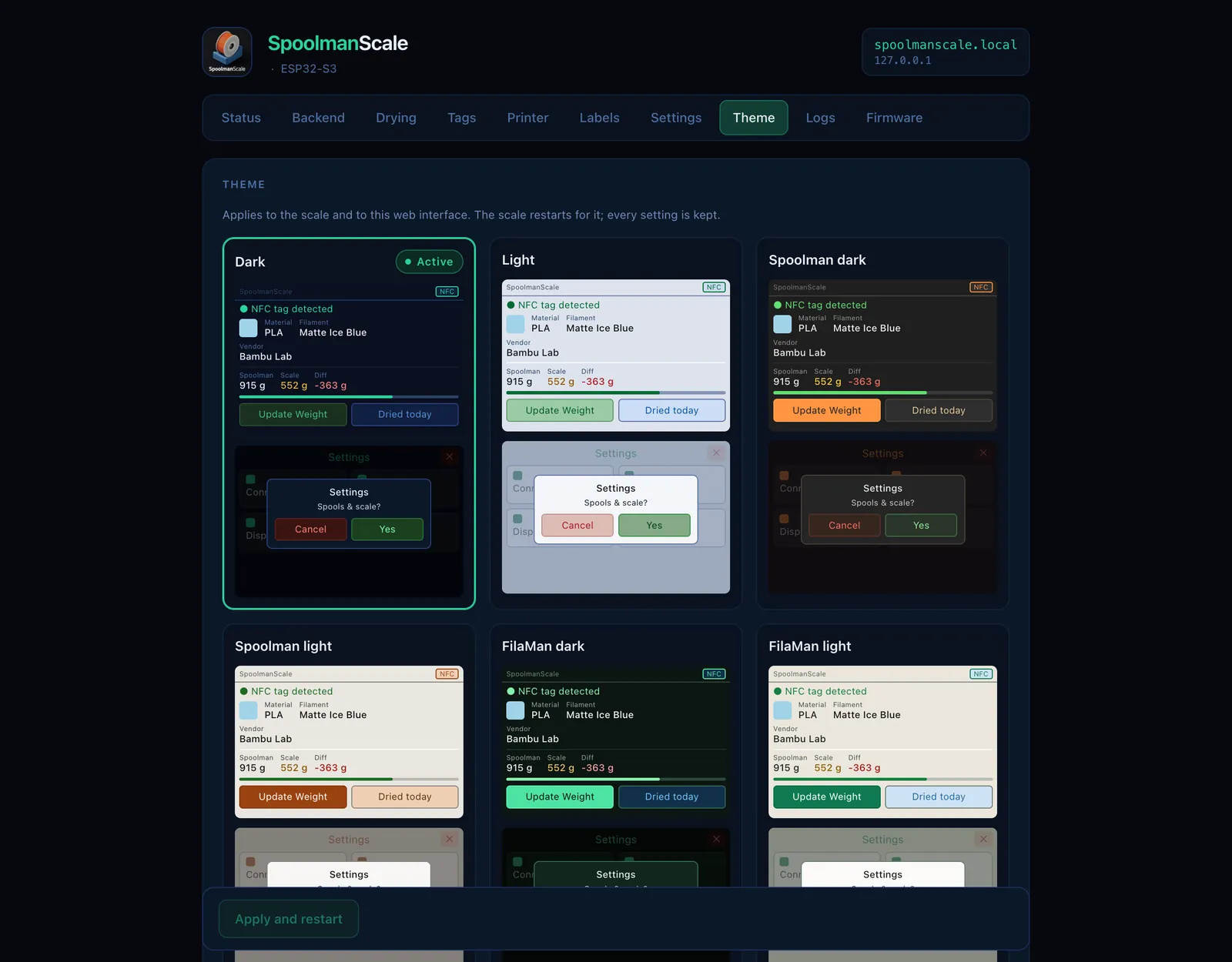
Light or dark, to match your filament manager. Or make it entirely yours: pick your own colours in the browser.
SpoolmanScale. The house theme, dark and light.
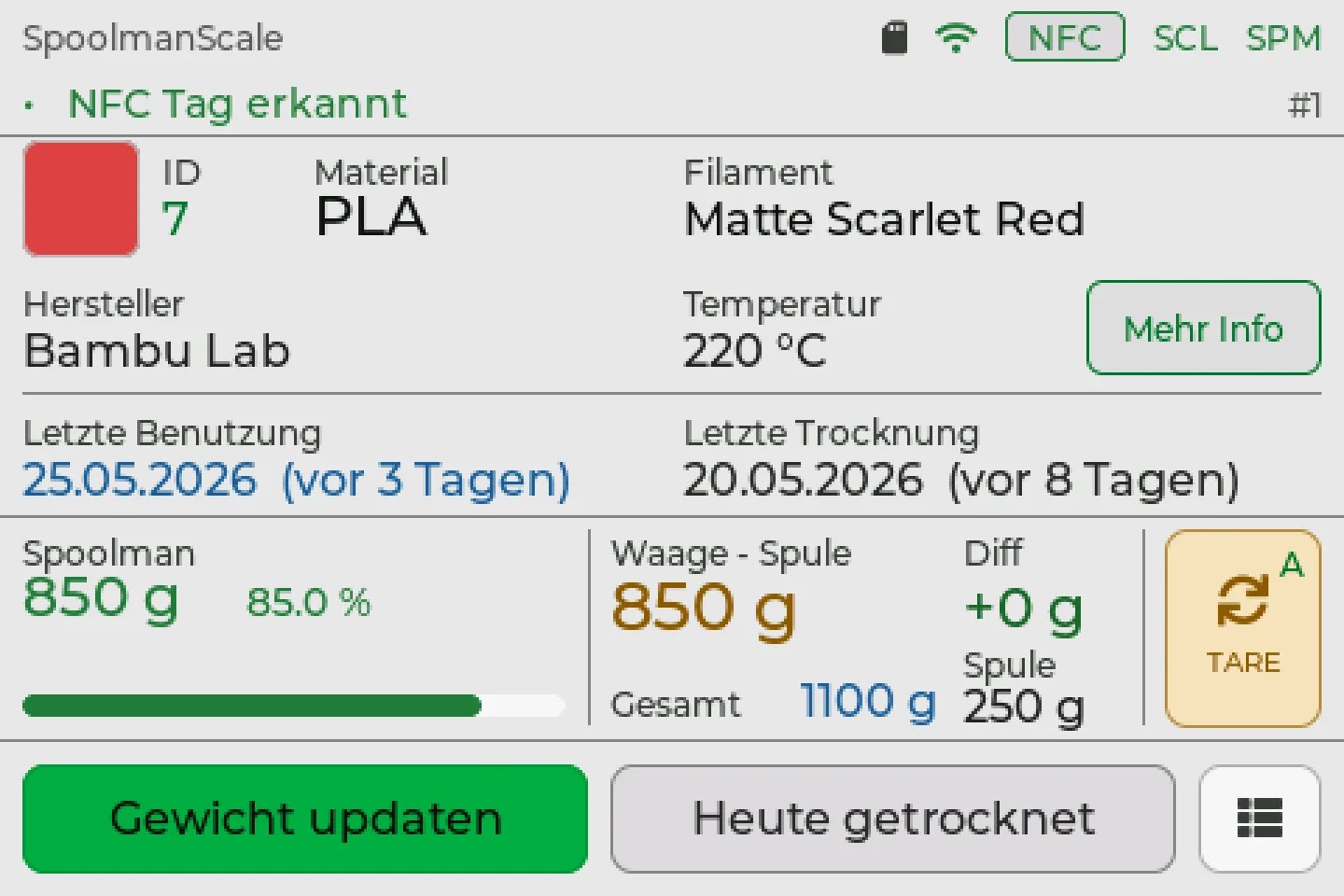
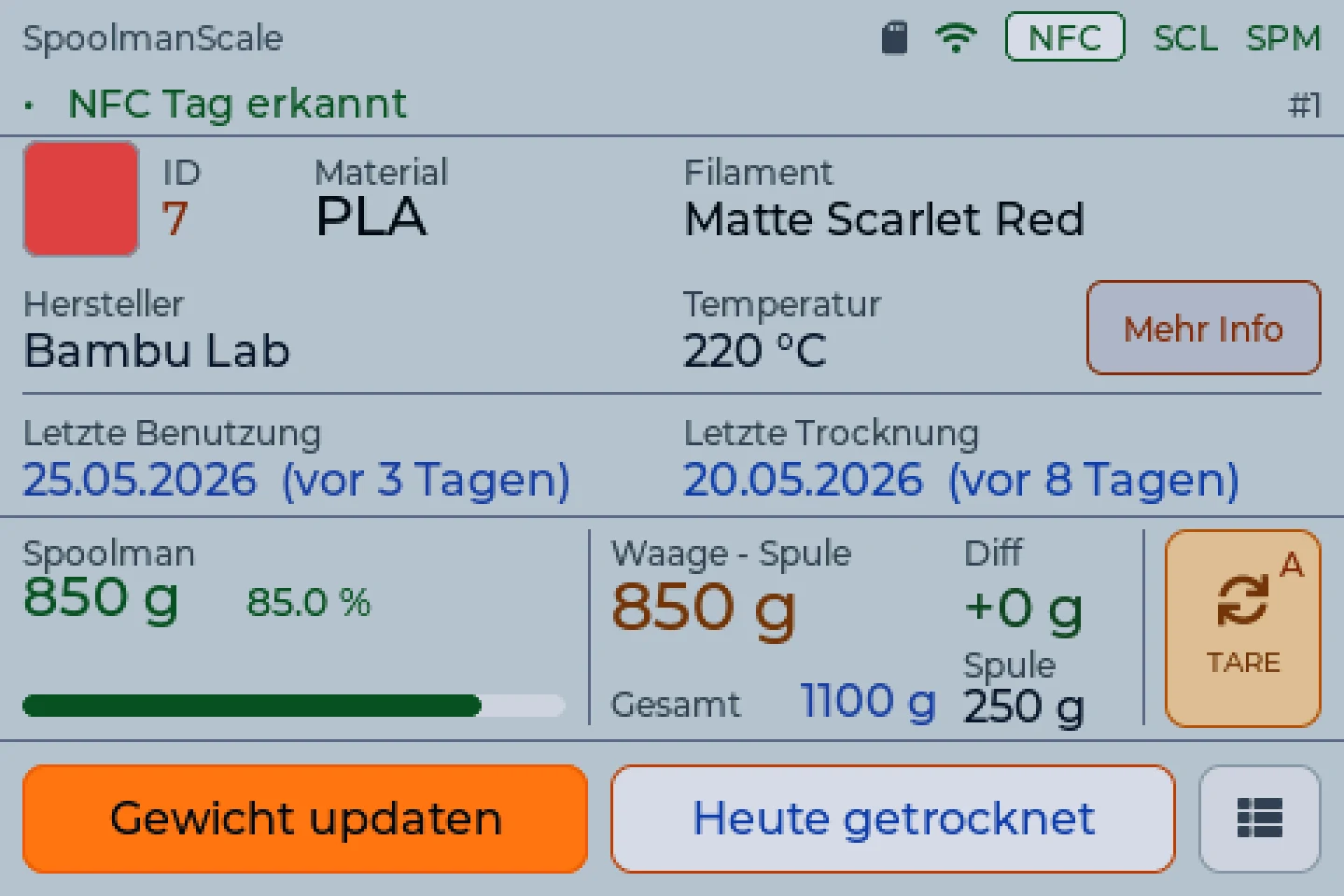
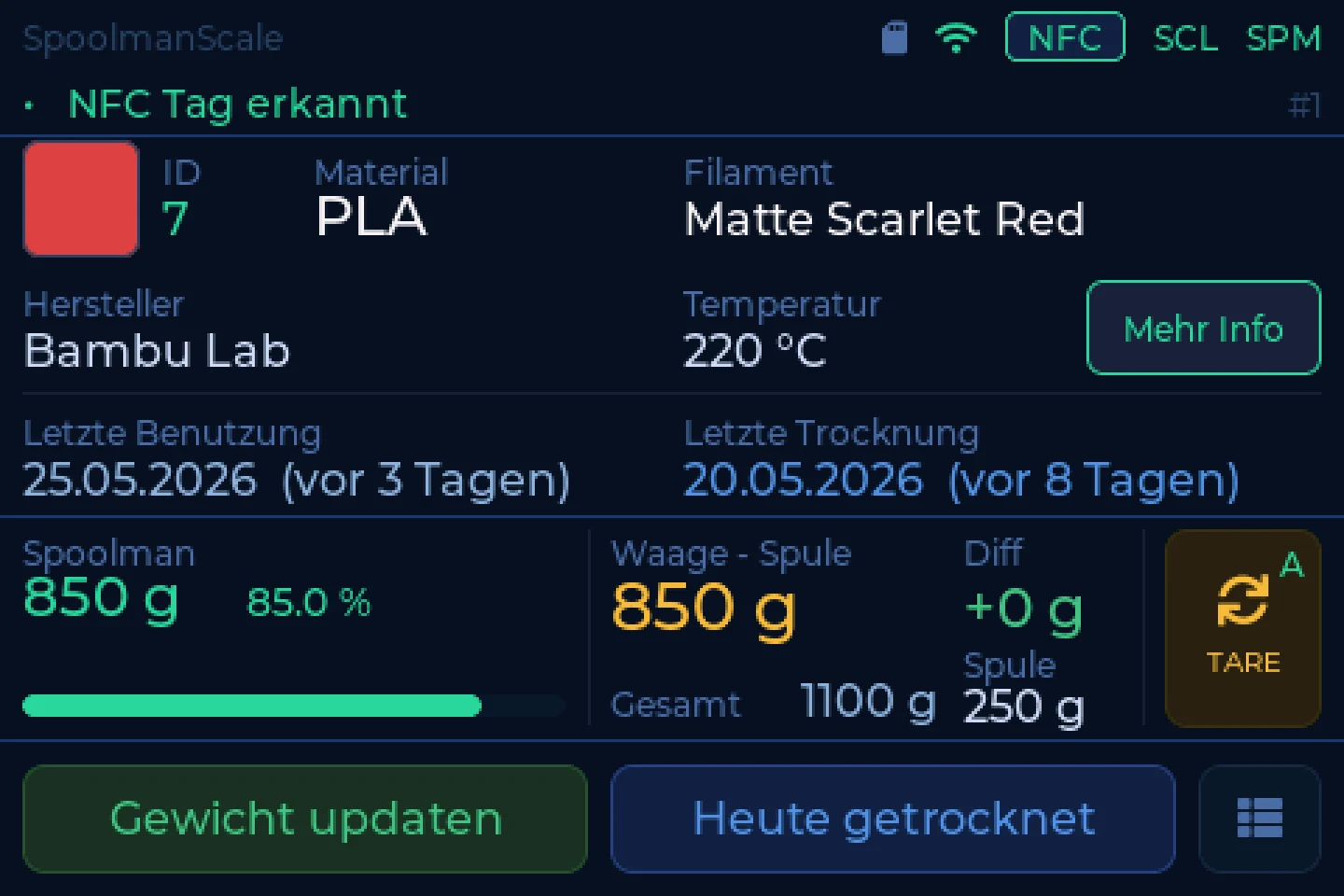
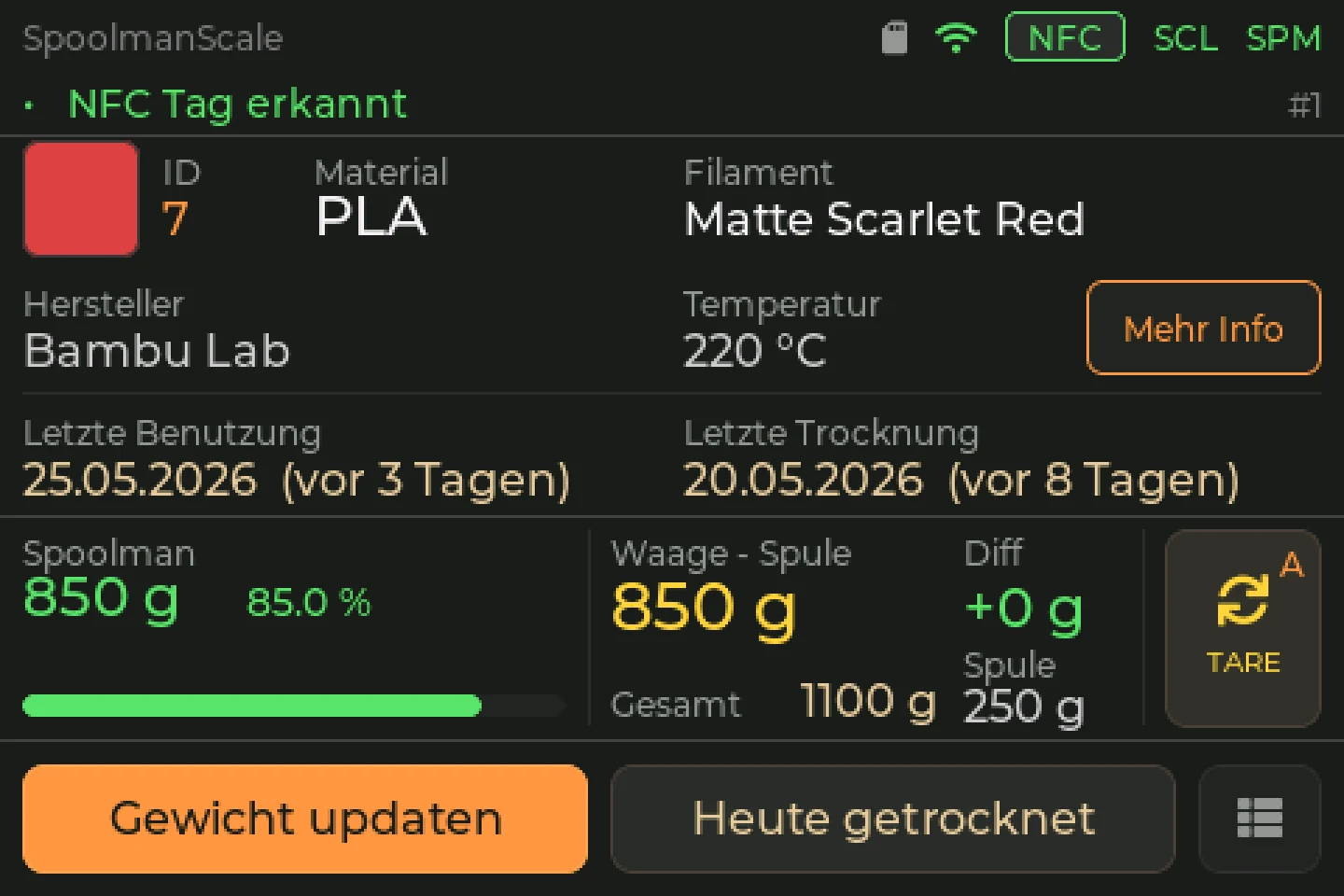
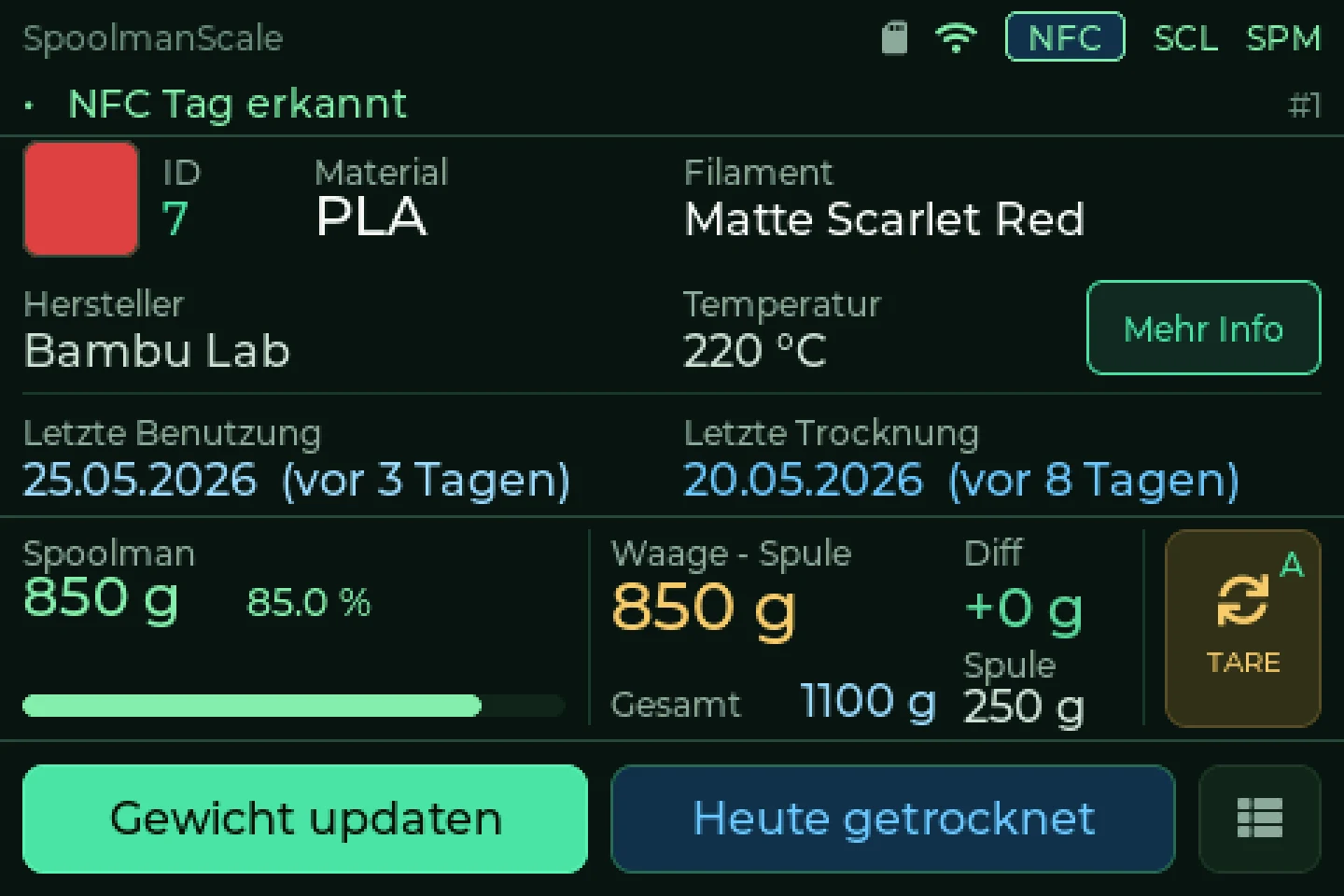
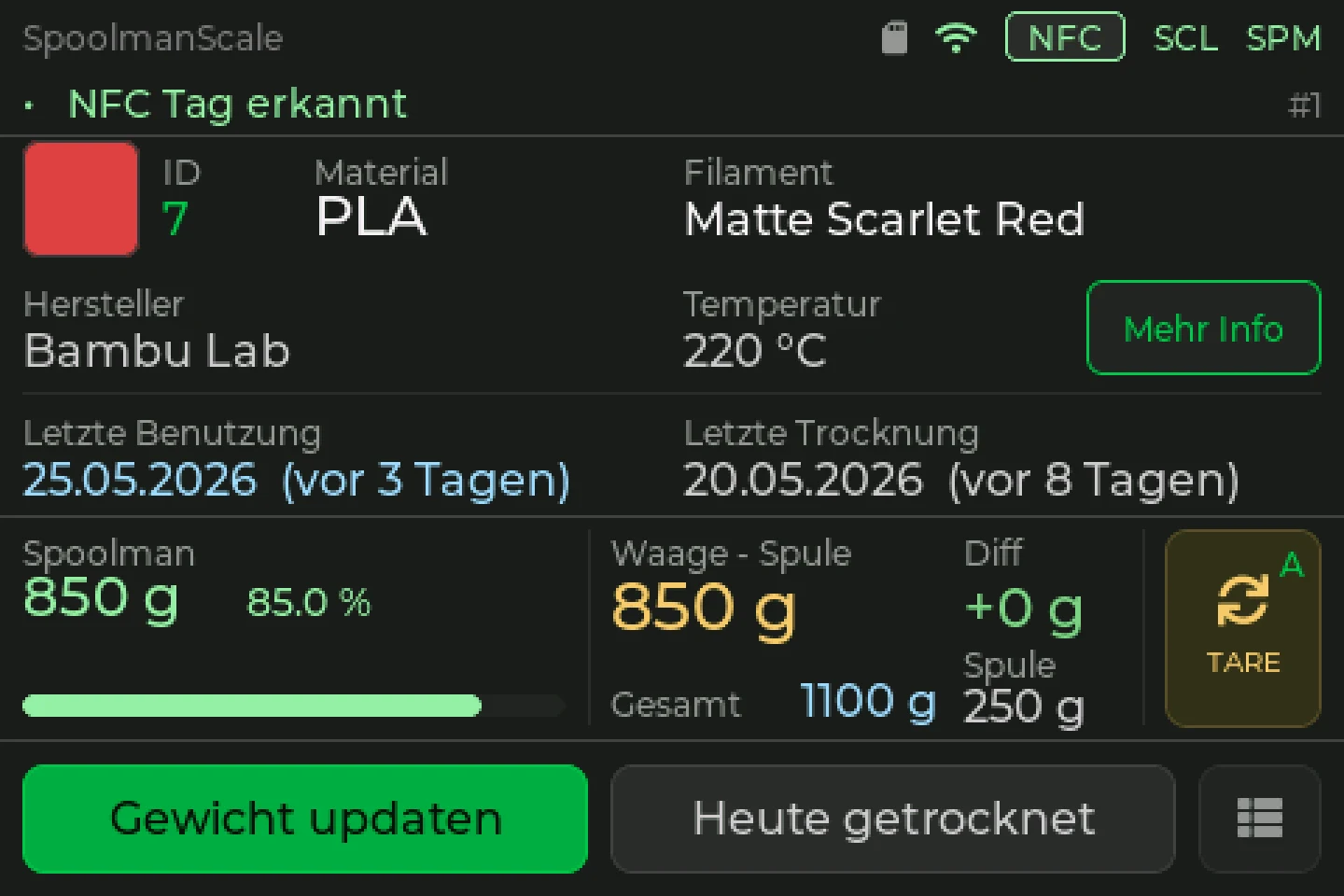
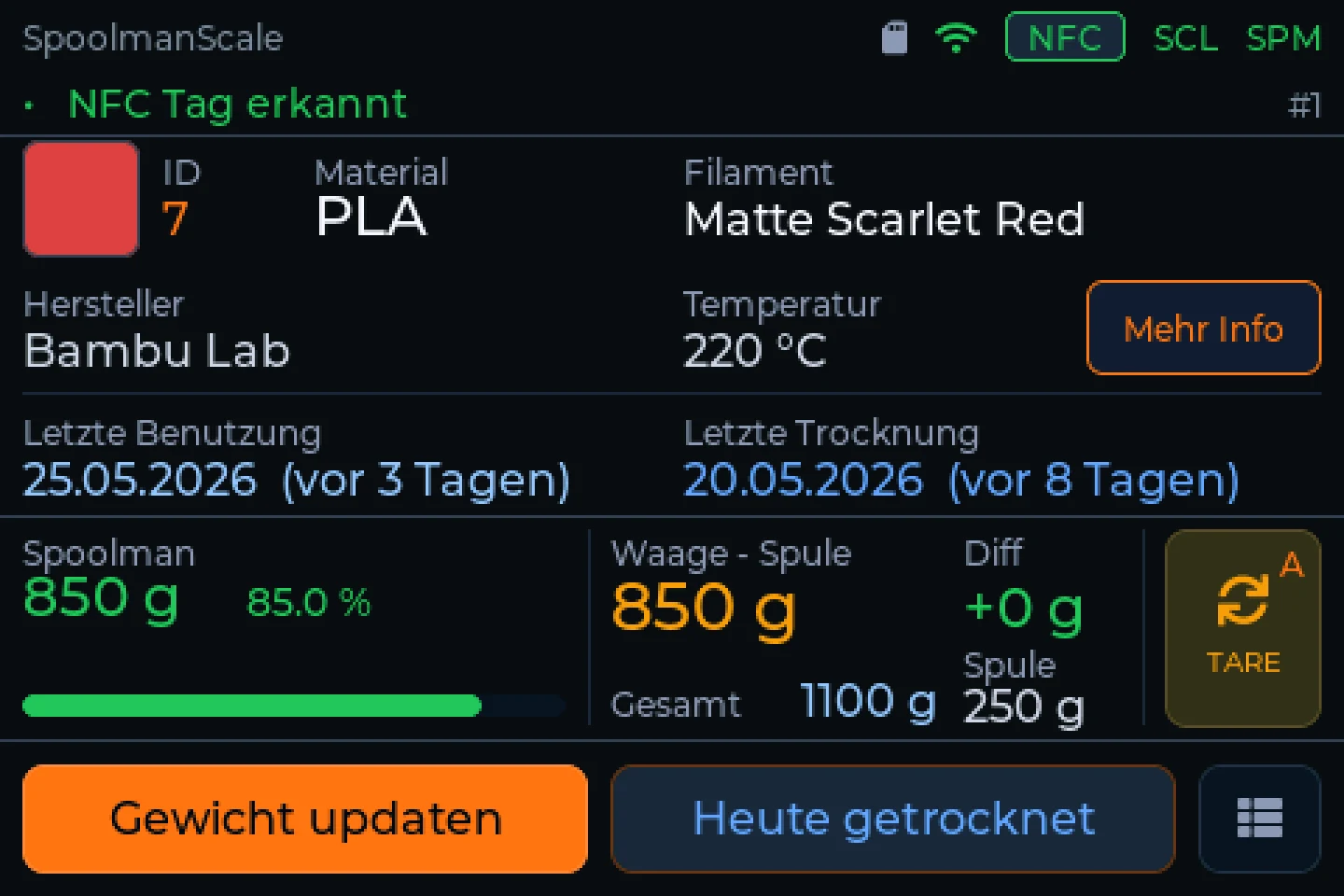
The scale is the front end, your spools live in your filament manager: Spoolman, FilaMan or BamBuddy.
Every unit with its bays: material, colour, remaining filament, humidity, temperature. Tap a bay for the spool behind it.
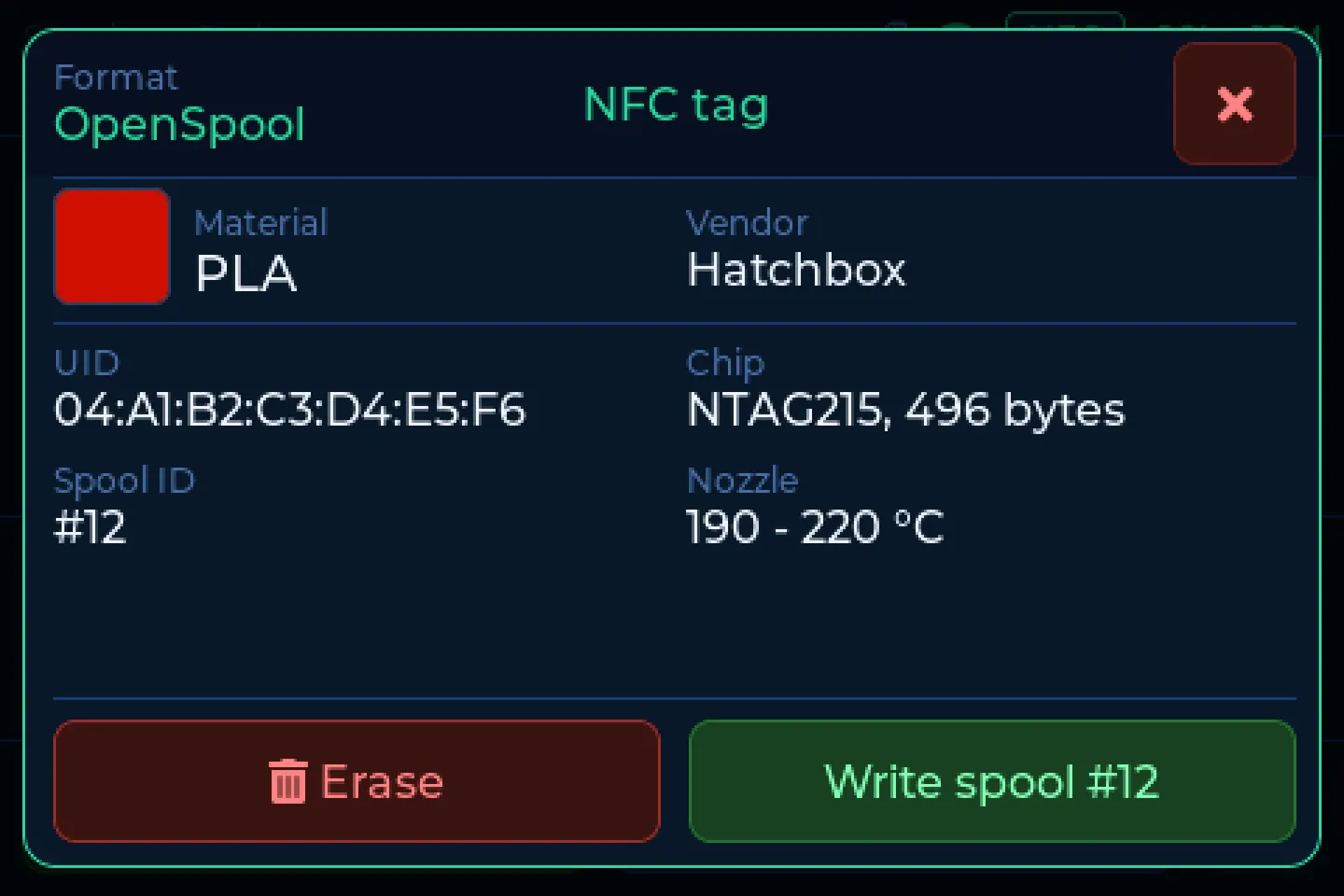
With FilaMan and BamBuddyThe scale does not just read tags, it writes them too: OpenSpool, FilaMan, Anycubic ACE and Creality CFS. Right on the device, no app needed.
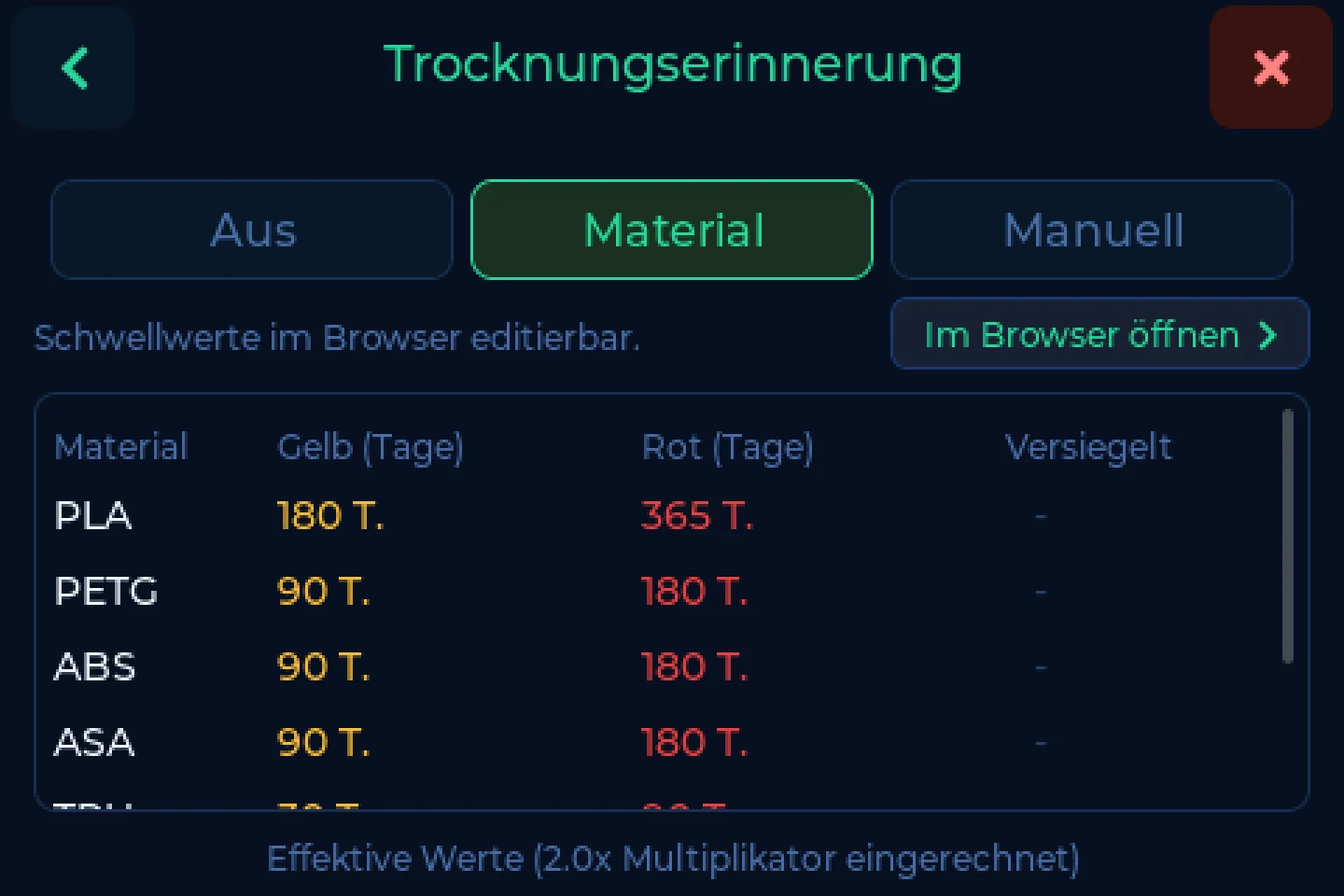
Drying reminders, with a yellow and a red threshold per material. Nearly empty spools stand out right away.
The scale checks for new firmware once a day. Install it on the device or in the browser. The first install: two minutes in the Web Flasher.
A loose cable or a part that's off? The scale recognises the most common faults and says in plain words what to do.
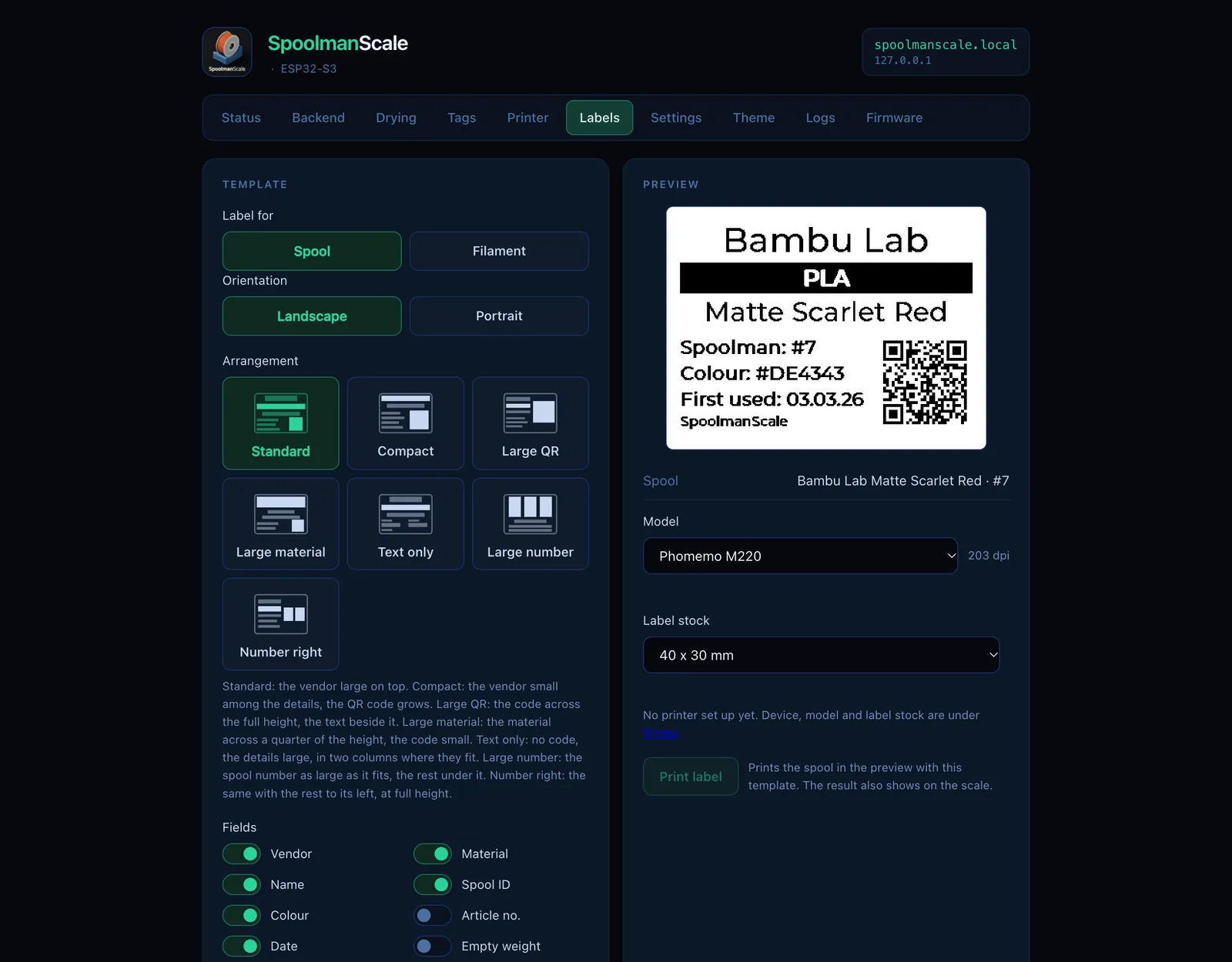
On Bluetooth printers from Phomemo and NIIMBOT. The QR code opens the spool in your filament manager. Laid out in the editor in your browser.
Setup, tags, labels, themes and updates in the browser. In English, German and French, and it can sit right inside BamBuddy or FilaMan.
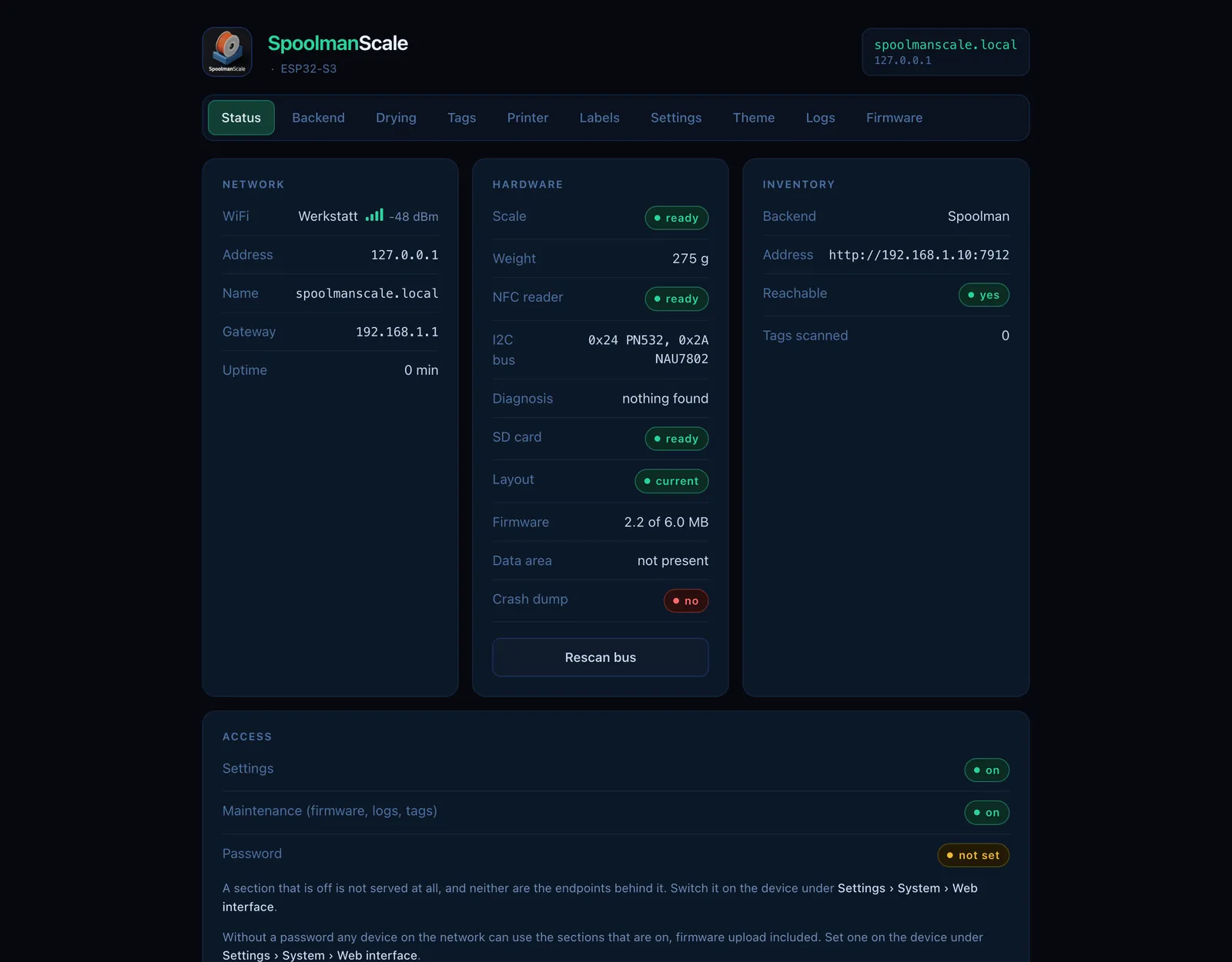
The scale is the front end, your data lives in your own filament manager. Switch any time in the settings.
The scale stores no spools itself. You need one of the three managers, self-hosted or online. No server yet? See below: SpoolmanScale Pro.
The well-known free filament manager. Runs on your own server on your home network.
Filament manager with printer integration. The scale shows your AMS with remaining amounts.
Printer management for Bambu Lab, with its own inventory or with Spoolman behind it.
Your server is not at home? The scale speaks https and copes with servers behind a key or password.
Support for filament managers on the web is in the works: sign in, connect the scale, done. No server of your own.
Turns a Raspberry Pi into the server for Spoolman, FilaMan or BamBuddy. One command to install, then everything from a web page: switch, back up, update.
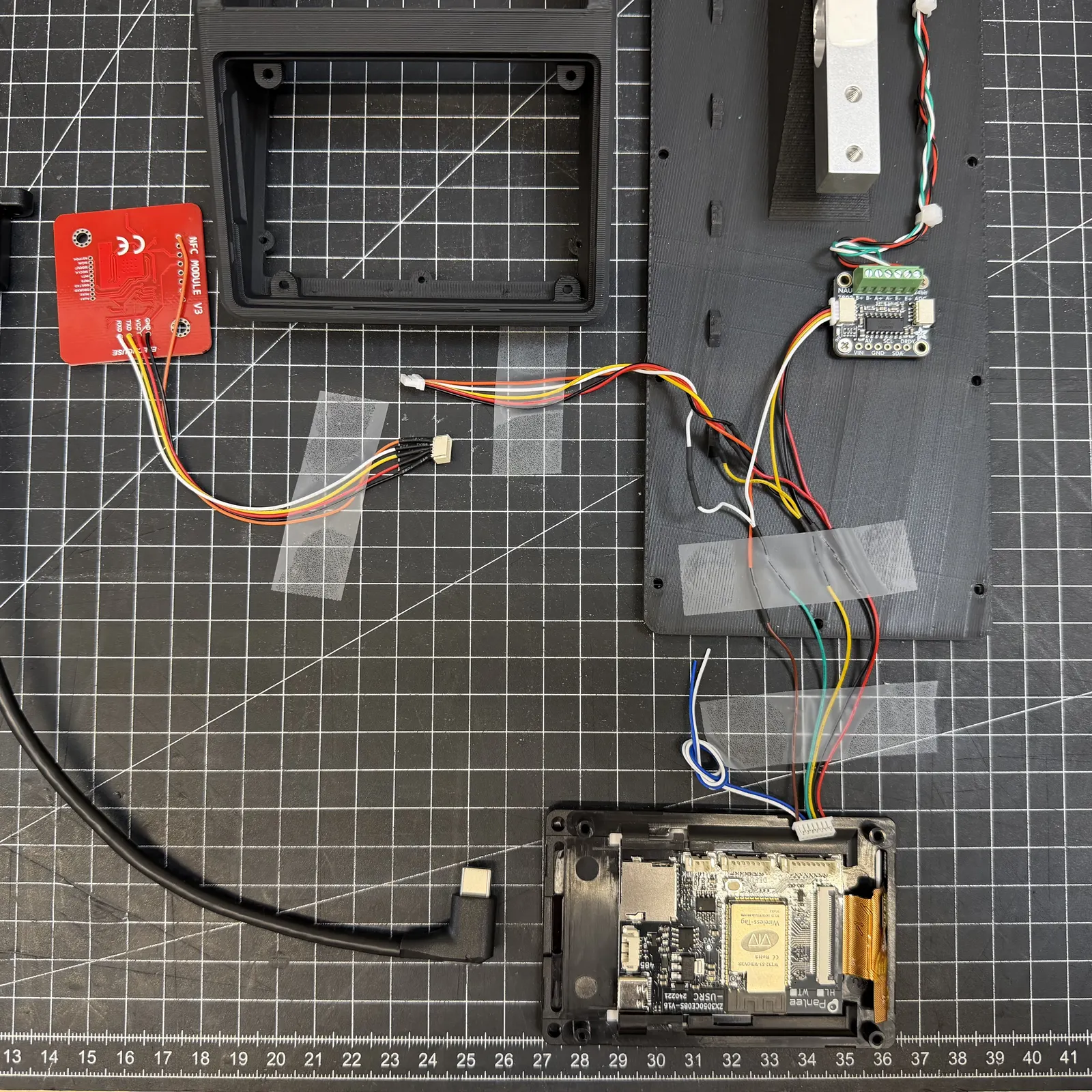
All orderable online, no special tools. The firmware is open source.
 1234
Order the parts, print the enclosure, flash the firmware in your browser. You need a 3D printer and a filament manager. No soldering experience? The community on Discord helps.
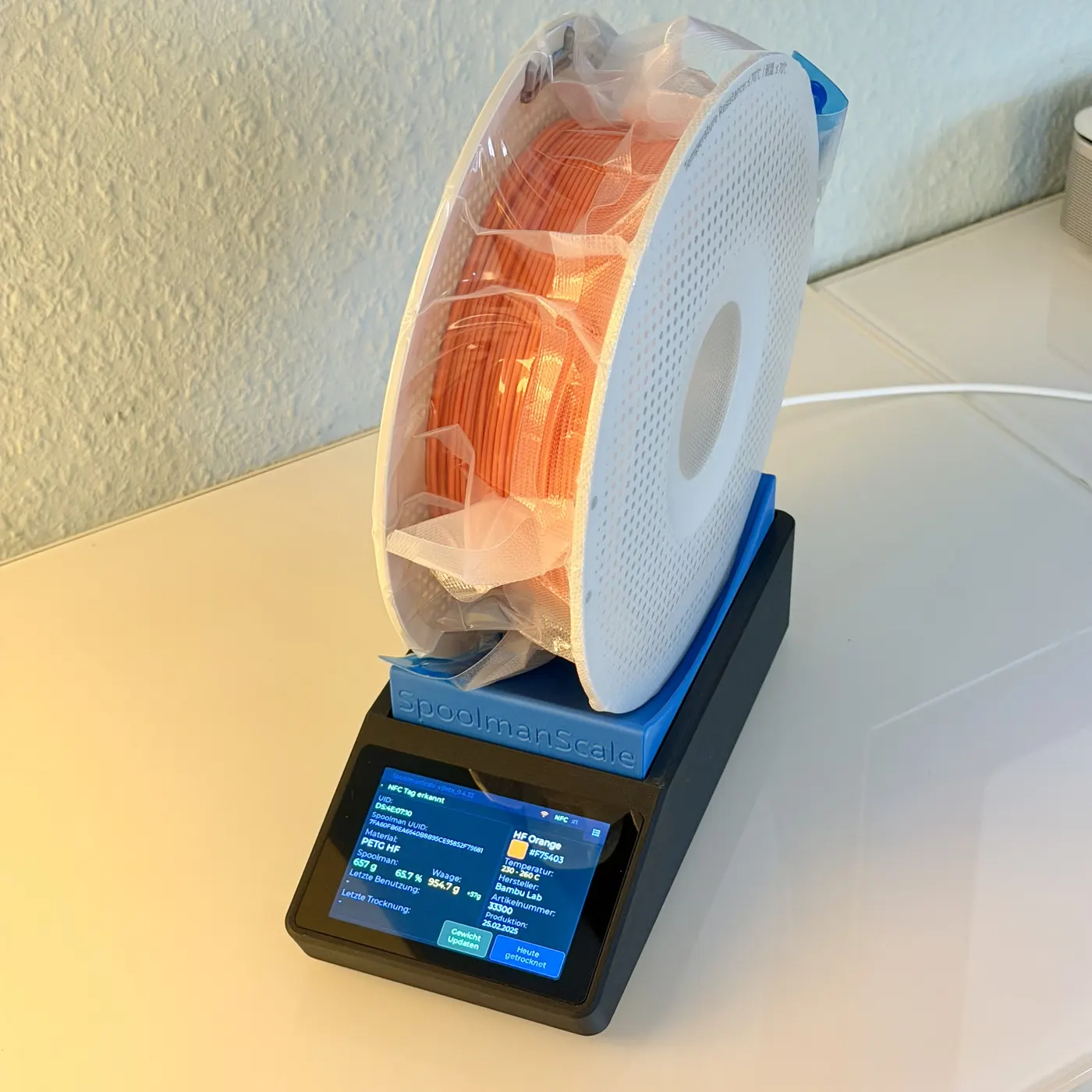
Step by step, with parts list and wiring.
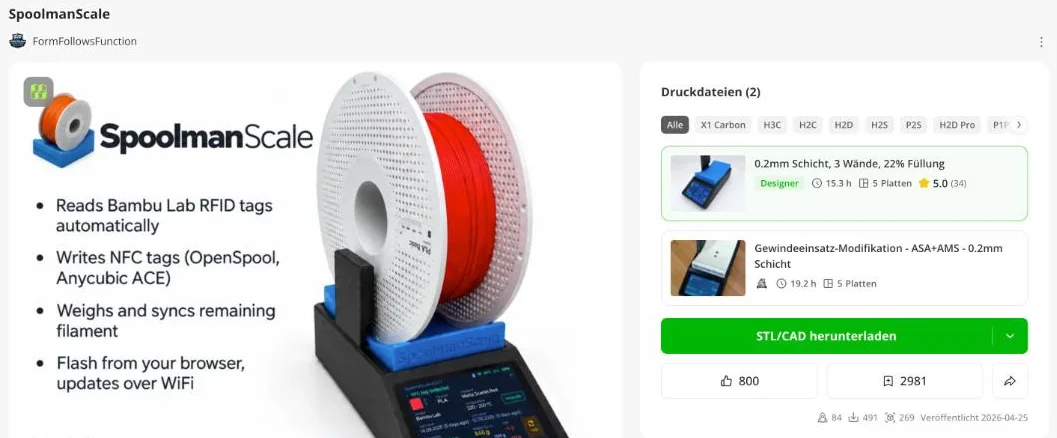
Print files for the enclosure and the weighing tray, two print profiles. 800 likes and over 140 ratings (as of 11/2026).
Install the firmware in two minutes, right from Chrome or Edge.
Don't feel like hunting down every part from far-away online shops? Long delivery times, cheap parts that sometimes don't work, soldering cables, uncertainty when flashing and calibrating at the end?
Planned:
The kit is in the works. I can't promise anything yet, but I hope to offer it soon. At launch the kit ships within Europe only. Live somewhere else? Sign up anyway: when the time comes, I'll check which other countries I can ship to. You'll still need a filament manager with the kit.
Retailers, press, partnerships: info@spoolmanscale.com
SpoolmanScale is free and open source. A coffee on Ko-fi helps pay for test spools, printers and new hardware.
Write to me directly. Bugs and wishes are best filed as an issue on GitHub, where others can see them and help too.
Or by email: support@spoolmanscale.com
SpoolmanScale is an open-source project and lives on the people who use it, test it and push it forward. Thank you to all the beta testers, testers and contributors who helped make SpoolmanScale what it is today, and who keep helping out.
Thanks also to the projects the scale builds on: Spoolman, FilaMan, BamBuddy, the SpoolmanDB and LVGL.
All contributors on GitHub →The legal notice and privacy policy are provided in German, the binding version. In short: no cookies, no tracking; your email address is used only for what you signed up for.
Nikolai Herrmann
Haintalstraße 57
60437 Frankfurt am Main
Deutschland
E-Mail: info@spoolmanscale.com
Kontaktformular: spoolmanscale.com/#kontakt
Ich bin nicht bereit und nicht verpflichtet, an Streitbeilegungsverfahren vor einer Verbraucherschlichtungsstelle teilzunehmen.
Die Firmware von SpoolmanScale steht unter der GPL-3.0. Genannte Marken (Bambu Lab, Spoolman, FilaMan, BamBuddy und andere) gehören ihren Inhabern. SpoolmanScale ist ein unabhängiges Projekt.
The legal notice and privacy policy are provided in German, the binding version. In short: no cookies, no tracking; your email address is used only for what you signed up for.
Stand November 2026.
Nikolai Herrmann, Haintalstraße 57, 60437 Frankfurt am Main, Deutschland. E-Mail: info@spoolmanscale.com
Die Seite liegt bei Cloudflare Pages (Cloudflare, Inc., 101 Townsend St., San Francisco, CA 94107, USA). Beim Aufruf verarbeitet Cloudflare technisch nötige Daten: IP-Adresse, Zeitpunkt, aufgerufene Adresse, Browser und Betriebssystem. Das dient der Auslieferung und dem Schutz vor Angriffen. Rechtsgrundlage ist mein berechtigtes Interesse an einer sicheren, funktionierenden Seite (Art. 6 Abs. 1 lit. f DSGVO). Mit Cloudflare besteht ein Vertrag zur Auftragsverarbeitung. Ich selbst führe keine Protokolle. Cloudflare speichert diese Daten nur so lange, wie es für Auslieferung und Sicherheit nötig ist. Für Übermittlungen in die USA gilt der Angemessenheitsbeschluss zum EU-US Data Privacy Framework (Art. 45 DSGVO), zusätzlich enthält der Vertrag Standardvertragsklauseln.
Trägst du dich ein, speichere ich deine E-Mail-Adresse, deine Wahl („Ich will eins“ oder „Halt mich auf dem Laufenden“) und die Zeitpunkte von Anmeldung und Bestätigung. Klickst du auf den Bestätigungslink, speichert Brevo außerdem Zeitpunkt und IP-Adresse dieses Klicks als Nachweis deiner Einwilligung. Du bekommst zuerst eine Mail mit einem Bestätigungslink (Double-Opt-in). Erst nach dem Klick bist du eingetragen. So kann sich niemand mit fremder Adresse anmelden.
Zweck: Ich schreibe dir, sobald das Kit oder eine fertige Waage bestellbar ist. Hast du „Halt mich auf dem Laufenden“ gewählt, dazu gelegentlich Neuigkeiten zu Kit und fertigen Waagen. Für nichts anderes. Deine Wahl hilft mir außerdem abzuschätzen, wie viele Kits ich vorbereiten muss; dafür zähle ich nur. Rechtsgrundlage ist deine Einwilligung (Art. 6 Abs. 1 lit. a DSGVO). Du kannst sie jederzeit widerrufen: über den Link in jeder Mail oder formlos an info@spoolmanscale.com. Danach bekommst du keine Mails mehr. Adresse und Zeitpunkte von Anmeldung, Bestätigung und Abmeldung bleiben gesperrt bis zum Ende des dritten Kalenderjahres nach dem Widerruf gespeichert, nur damit ich die Einwilligung belegen kann (Art. 6 Abs. 1 lit. f, Art. 7 Abs. 1 DSGVO). Bestätigst du die Anmeldung nicht, verfällt der Link nach 30 Tagen, und du wirst nicht eingetragen. Brevo protokolliert dann nur den Versand der Bestätigungsmail (Adresse, Zeitpunkt, Inhalt der Mail) und löscht dieses Protokoll nach 24 Monaten. Stelle ich die Warteliste ein, lösche ich sie.
Damit das Formular nicht missbraucht wird, wird die Zahl der Anfragen je IP-Adresse kurzzeitig begrenzt; dauerhaft gespeichert wird die IP-Adresse dafür nicht (Art. 6 Abs. 1 lit. f DSGVO).
Für Anmeldung und Versand nutze ich Brevo (Brevo GmbH, Köpenicker Str. 126, 10179 Berlin). Mit Brevo besteht ein Vertrag zur Auftragsverarbeitung. Die Daten liegen auf Servern in der EU (Frankreich, Belgien). Einzelne Unterauftragnehmer von Brevo sitzen in den USA; dafür gelten der Angemessenheitsbeschluss zum EU-US Data Privacy Framework (Art. 45 DSGVO) und Standardvertragsklauseln. Ob du eine Mail öffnest oder einen Link klickst, zählt Brevo nur anonym und insgesamt; einer Person zugeordnet wird es nicht, und ich werte es nicht aus.
Schreibst du mir über das Kontaktformular, verarbeite ich deinen Namen (freiwillig), deine E-Mail-Adresse und deine Nachricht, um dir zu antworten. Die Seite selbst speichert nichts: Das Formular schickt deine Nachricht über Brevo als E-Mail an mein Postfach. Brevo bewahrt dazu einen Monat lang ein Versandprotokoll auf (Absender, Empfänger, Zeitpunkt, Betreff, ohne den Text deiner Nachricht). Auch hier wird die Zahl der Anfragen je IP-Adresse kurzzeitig begrenzt, ohne sie dauerhaft zu speichern.
Schreibst du mir an info@ oder support@spoolmanscale.com oder über das Formular, verarbeite ich deine Adresse und den Inhalt, um zu antworten (Art. 6 Abs. 1 lit. b und f DSGVO). Die Postfächer liegen bei einem E-Mail-Anbieter mit Sitz in der EU. Mails lösche ich, wenn die Sache erledigt ist und keine Aufbewahrungspflicht besteht.
Diese Seite verlinkt Discord, Instagram, GitHub, MakerWorld, Ko-fi und YouTube. Erst wenn du einen Link anklickst, gelangst du auf deren Seiten; dort gilt deren Datenschutzerklärung.
Du hast das Recht auf Auskunft (Art. 15 DSGVO), Berichtigung (Art. 16), Löschung (Art. 17), Einschränkung der Verarbeitung (Art. 18), Datenübertragbarkeit (Art. 20) und Widerspruch (Art. 21). Eine Einwilligung kannst du jederzeit für die Zukunft widerrufen (Art. 7 Abs. 3). Du kannst dich bei einer Datenschutz-Aufsichtsbehörde beschweren, zum Beispiel bei der für mich zuständigen Behörde: Der Hessische Beauftragte für Datenschutz und Informationsfreiheit, Gustav-Stresemann-Ring 1, 65189 Wiesbaden.
Widerspruch: Soweit ich Daten auf Grundlage berechtigter Interessen verarbeite (Hosting, Schutz des Formulars, Nachweis der Einwilligung), kannst du aus Gründen, die sich aus deiner besonderen Situation ergeben, jederzeit widersprechen.